

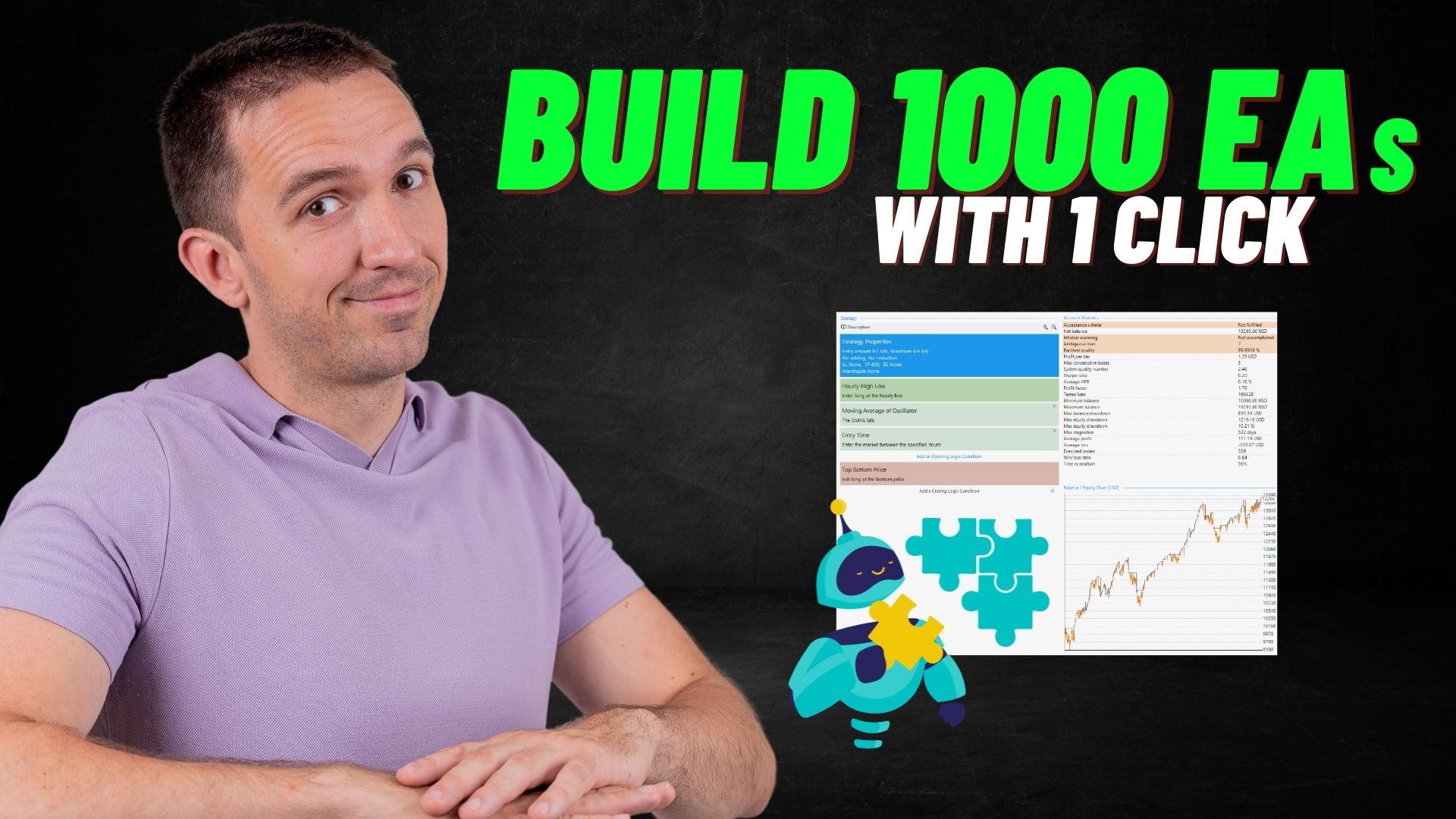
The question we get asked more than almost any other at Algo Trading Space is some variation of: “How do I turn my trading idea into an automated strategy without learning to code?”
It’s a fair question. Most traders have a system in their head, a set of conditions they watch for, indicators they trust, and entry and exit rules that make sense to them. The gap between that mental model and a working expert advisor on MetaTrader has traditionally required either expensive developer time or years of programming study.
EA builder tools close that gap. You define the logic; the software handles the code. That’s not an oversimplification; it’s genuinely what these platforms do, and they do it well enough that professional traders use them daily.
This guide covers the best expert advisor builders currently available: EA Studio, Forex Strategy Builder Professional (FSB Pro), Express Generator, fxDreema, and Strategy Quant.
Side-by-Side Comparison
| Tool | Type | Interface | Generator | MetaTrader | Free Trial | Best For |
| EA Studio | Browser | Visual | Yes, very fast | MT4, MT5 | 15 days | Most traders; daily use |
| FSB Pro | Desktop | Visual | Yes, moderate | MT4, MT5 | 15 days | Offline preference; multi-timeframe |
| Express Generator | Add-on | Command line | Yes, fastest | Via EA Studio/FSB | Via main tool | Bulk generation tasks |
| fxDreema | Browser | Drag-and-drop | No | MT4, MT5 | Free | Beginners; simple strategies |
| Strategy Quant | Desktop | Advanced | Yes, genetic | MT4, MT5 | Limited | Professional/institutional |
What Is an Expert Advisor Builder and Why Does It Matter?
An expert advisor builder is software that lets traders create, test, and export automated trading strategies without writing a single line of code. You add your indicators, define entry and exit conditions, set stop loss and take profit rules, and the builder converts everything into a ready-to-use expert advisor for MetaTrader.
The practical value is enormous. Before these tools existed, the process looked like this: describe your strategy to a developer, wait days or weeks for them to code it, pay for each change, and retest from scratch every time something needed adjusting. It was slow, expensive, and genuinely frustrating.
Now the same process takes minutes. Make a change to a parameter and see the impact on the equity chart immediately. Test an additional indicator on a higher timeframe and know within seconds whether it improves or worsens performance. That feedback loop is what manual traders simply cannot replicate.
There’s also the generator function, which takes things further. Rather than building strategies manually, a generator creates hundreds or thousands of automated strategies based on historical price data, filtered by the acceptance criteria you define. It’s perhaps the single biggest productivity advantage algorithmic traders have over discretionary ones.
How We Test and Use These Tools
Our experience with these builder tools spans several years of active use. Petko Aleksandrov, founder of Algo Trading Space, began with Forex Strategy Builder Professional when working for a Swiss trading firm, coordinating between traders and developers. That experience, watching how long manual coding took and how many errors it introduced, drove the move toward EA builders.
Since then, the team has used these tools to:
- Generate and test thousands of strategies across multiple brokers and instruments
- Build custom expert advisors for NASDAQ, gold, EUR/USD, and other assets
- Create free strategies shared with the Algo Trading Space community weekly
- Test strategies against real broker data imported from MetaTrader
When we assess these tools, we look at: generation speed, visual feedback quality, indicator library depth, MetaTrader export reliability, ease of use for traders at different experience levels, and whether the resulting expert advisors perform consistently across demo and live conditions.
1. EA Studio: The Primary Tool We Recommend
EA Studio is a browser-based expert advisor builder that runs entirely online. No installation required. You open a browser, log in, and start building or generating strategies immediately. That accessibility alone makes it more approachable than desktop-only alternatives, particularly for traders who work across multiple devices or prefer not to manage software installations.
But accessibility isn’t why we use it most. Speed is.
Strategy Generation Speed
The generator in EA Studio is exceptionally fast. In a demonstration using EUR/USD on the H1 timeframe, over 2,700 strategies were generated in approximately three minutes. With acceptance criteria set to a minimum of 100 trades and a defined stop loss and take profit range, the collection builds quickly with strategies that meet basic quality filters automatically.
Each generated strategy displays a visual equity line, indicator combinations, and key statistics. You can remove weak strategies from the collection with a single click, keep the ones with clean equity curves, and export any of them as a ready-to-use expert advisor.
The export process is one click. The code appears in MetaEditor, compiled and ready to attach to a chart. That’s the full process from idea to running robot.
Building Strategies Manually
Beyond generation, EA Studio allows traders to build strategies step by step. You add entry rules using indicators from the built-in library, define stop loss and take profit levels, add exit conditions, and see the equity chart update in real time with every change.
A practical example from our own work: building a NASDAQ strategy using two moving average crossovers as the entry signal (periods 5 and 10), with an Awesome Oscillator exit condition. Switching the slow-moving average from 10 to 8 improved the balance chart visibly. Adjusting the lot size showed the potential daily profit at those settings. The whole process took under fifteen minutes from blank canvas to exported robot.
That real-time feedback is, I think, the most valuable feature. You don’t have to guess whether a parameter change helps; you see it immediately.
Free Startup Course
Algo Trading Space has a complete free startup course for EA Studio on YouTube, covering everything from initial setup to strategy generation and export. The playlist link is available at https://www.youtube.com/playlist?list=PLKVhG9CW7OB6ziKbQVoB_3y_DhmoTpUFf.
EA Studio: Pros and Cons
Pros:
- Browser-based; no installation, works on any device
- Extremely fast strategy generator producing thousands of strategies in minutes
- Real-time equity chart updates as you adjust any parameter
- One-click export to MetaTrader-ready expert advisor code
- Supports multiple broker data imports for strategy testing
- Active community and free educational resources available
- 15-day free trial with no restrictions on strategy generation or export
Cons:
- Requires a subscription; pricing is higher than some alternatives
- Browser dependency means performance is tied to internet connection quality
- No offline access; working without connectivity is not possible
- The volume of generated strategies can be overwhelming without clear filtering criteria
2. Forex Strategy Builder Professional: The Original, Still Powerful
Forex Strategy Builder Professional (FSB Pro) is the oldest of the three primary tools we use, and the one that started the whole process for us. It’s a desktop application, which some traders prefer for the stability and offline access it provides.
FSB Pro was the first software in this category to include a strategy generator, a feature that EA Studio later adopted and built on. The generator in FSB Pro still works well, though it’s slower than EA Studio’s. That’s an honest comparison, not a criticism: the two tools serve slightly different workflows.
What FSB Pro Does Well
The interface shows the full strategy logic clearly: entry conditions, exit conditions, indicators, and the resulting equity curve all visible together. Adding a higher-timeframe confirmation to a strategy is straightforward. For example, applying a Moving Average on H1 to confirm signals generated on M15 takes a few clicks. The equity chart updates immediately to show whether the addition improves or hurts the strategy.
This multi-timeframe capability is something experienced traders particularly appreciate. Many manual systems already incorporate higher-timeframe context; FSB Pro allows that logic to carry directly into the automated version.
The indicator library is large. Entry time filters, oscillators, moving average variants, volatility-based conditions, and more are all available. The ability to add conditions that avoid high-impact economic news windows is a practical feature for traders who want their expert advisors to pause during unpredictable market events.
Desktop vs Browser
Unlike EA Studio, FSB Pro requires installation on a computer. For traders who prefer keeping software local, this is an advantage. For those who work across multiple machines or want cloud access, it’s a limitation.
A free startup course for FSB Pro is available on YouTube via the Algo Trading Space channel: algotradingspace.com/software/forex-strategy-builder-professional.
FSB Pro: Pros and Cons
Pros:
- Desktop application; fully functional offline without internet dependency
- Pioneered the strategy generator concept; well-established and stable
- Strong multi-timeframe indicator support
- Large indicator library covering most common trading approaches
- One-time purchase option available rather than subscription only
- 15-day free trial with full feature access
Cons:
- Slower strategy generator compared to EA Studio
- Desktop-only; no browser version or mobile access
- Interface is more complex than EA Studio; steeper initial learning curve
- Less frequent updates compared to the browser-based alternative
3. Express Generator: When Speed Is the Only Priority
Express Generator is an add-on that works alongside both EA Studio and Forex Strategy Builder Professional. It’s designed for one specific purpose: generating strategies faster than any other tool available.
It operates via the command line rather than a visual interface. With ready-to-use commands, the Express Generator can produce hundreds, thousands, or even millions of strategies in the time it would take EA Studio to generate a few hundred.
The Trade-off Worth Understanding
The speed gain comes at a cost: no visual representation of strategies during generation. There’s no equity chart to glance at, no quick visual filter. The strategies are generated, stored, and then need to be loaded into EA Studio or FSB Pro for review and selection.
For traders who prioritise building large collections quickly and are comfortable reviewing strategies after generation, this is an extremely efficient workflow. For traders who prefer to watch strategies being built and make visual decisions in real time, EA Studio remains the better daily tool.
In practice, we use Express Generator for bulk generation tasks: building large collections across multiple instruments or timeframes, then importing the results into EA Studio for filtering and selection.
Express Generator: Pros and Cons
Pros:
- Fastest strategy generation available; millions of strategies possible in short timeframes
- Works as an add-on to existing EA Studio or FSB Pro licences
- Command-line operation allows automation of the generation process itself
- Ideal for building large strategy portfolios quickly
Cons:
- No visual feedback during generation; strategies must be reviewed after the fact
- Requires EA Studio or FSB Pro to review and use the generated strategies
- Command-line interface is less accessible for traders without technical comfort
- Not suitable as a standalone tool; it extends rather than replaces the main builders
4. fxDreema: A Visual, Drag-and-Drop EA Builder
fxDreema is a free-to-use expert advisor builder that takes a visual, flowchart-based approach. Rather than selecting indicators from menus and seeing an equity curve, traders build their strategy logic by connecting blocks visually, similar to a flowchart or process diagram.
Website: fxdreema.com
Who It Suits
fxDreema works well for traders who think in process flows: if this condition, then do that, otherwise do something else. The visual block approach makes the logical structure of a strategy explicit in a way that other tools don’t.
The free access is a genuine differentiator. For traders who want to build simple automated trading systems without cost, fxDreema provides a working entry point. The resulting expert advisors can be exported for MetaTrader 4 and MetaTrader 5.
fxDreema: Pros and Cons
Pros:
- Free to use; no subscription or purchase required
- Visual drag-and-drop interface suits traders who think in logical flow
- Supports MetaTrader 4 and MetaTrader 5 export
- Lower barrier to entry for beginners testing their first automated strategy
Cons:
- No built-in strategy generator; strategies must be built manually block by block
- Backtesting capabilities are limited compared to EA Studio or FSB Pro
- Visual representation of complex multi-condition strategies can become cluttered
- Smaller community and fewer educational resources than the primary tools
5. Strategy Quant: Professional-Grade for Advanced Users
Strategy Quant is a professional platform for developing, testing, and managing automated trading systems. It sits at a different level of complexity compared to the other tools in this guide, designed for traders who want deep customisation, advanced statistical testing, and portfolio-level strategy management.
Website: strategyquant.com
What Makes It Different
Strategy Quant generates strategies using genetic algorithms, which means it doesn’t just test combinations of indicators; it evolves strategies over multiple generations, optimising for the criteria you define. The depth of statistical analysis available is considerably greater than in the other tools reviewed here.
Walk-forward testing, Monte Carlo simulation, robustness filters, and multi-market testing are all built in. For professional traders or algorithmic trading firms managing large strategy portfolios, this capability matters. For most individual retail traders, it’s more functionality than is practically necessary.
Strategy Quant: Pros and Cons
Pros:
- Genetic algorithm-based generation produces highly optimised strategies
- Advanced statistical testing, including walk-forward and Monte Carlo analysis
- Multi-market and multi-broker testing from a single platform
- Portfolio-level strategy management tools
- Suitable for professional trading operations, managing large strategy collections
Cons:
- Expensive; pricing is significantly higher than EA Studio or FSB Pro
- Steep learning curve; not suitable for beginners or those new to algo trading
- Complexity can obscure rather than aid decision-making for less experienced users
- Longer time investment is required before generating usable results
What to Consider When Choosing a Builder
The choice between these tools depends more on your workflow than on any single feature comparison.
- If you’re just starting out with automated trading and want to test building a few strategies without financial commitment, fxDreema’s free access is the obvious starting point. It won’t replace EA Studio for serious work, but it introduces the concepts without cost.
- If you want the most practical daily tool for generating and building strategies across multiple instruments, EA Studio is the recommendation we make consistently at Algo Trading Space. The browser access, generation speed, and visual feedback make it the most efficient option for regular use.
- If you prefer desktop software or work offline regularly, FSB Pro remains a strong choice, particularly given its multi-timeframe indicator support and the one-time purchase option.
- If bulk generation is the goal, Express Generator, as an add-on to either of the above, is the most efficient route. It’s not a standalone solution, but paired with EA Studio, it creates a powerful combined workflow.
- If you’re building trading systems professionally at scale and have both the budget and the technical background to make use of advanced statistical features, Strategy Quant is worth considering seriously.
A VPS is worth mentioning here as well. Once strategies are built and exported, running them on a virtual private server rather than a home computer ensures the expert advisors stay active continuously without depending on your machine’s uptime or internet connection. Several brokers, including IC Markets and FP Markets, offer free VPS hosting for qualifying accounts, which removes that overhead cost entirely.
The Free Trial Approach We Recommend
All three of the primary tools (EA Studio, FSB Pro, and Express Generator) offer 15-day free trials. The most efficient way to test them:
- Start the EA Studio trial and open multiple browser sessions simultaneously. Each session can run its own generator independently, multiplying the strategy output across the trial period.
- Use the free startup courses on YouTube to understand the interface before generating. The Algo Trading Space playlists cover both EA Studio and FSB Pro from scratch.
- Export strategies during the trial. Any expert advisors created during the trial period remain yours to use after the trial ends, even without a continuing subscription.
- Import your own broker data into the tools for more relevant testing. Strategies tested against data from the actual broker you trade with produce more representative backtest results than generic historical data.
Frequently Asked Questions
What is an expert advisor builder and do I need coding knowledge to use one?
An expert advisor builder is software that converts trading strategy logic into automated MetaTrader code without requiring programming knowledge. You select indicators, define entry and exit conditions, and set risk parameters through a visual interface.
The builder generates the expert advisor code automatically. Algo Trading Space has used EA Studio and Forex Strategy Builder Professional for years to create automated strategies without writing a single line of MQL code. No programming background is needed to build fully functional expert advisors with these tools.
Which expert advisor builder is best for beginners?
EA Studio is the most accessible starting point for beginners among the paid tools, thanks to its browser-based interface, real-time visual feedback, and structured free courses available on YouTube. For those who want to explore without any upfront cost, fxDreema offers a free drag-and-drop builder that covers the basics.
Both support MetaTrader 4 and MetaTrader 5 export. EA Studio’s 15-day free trial with no feature restrictions allows beginners to build and export multiple complete strategies before making any financial commitment.
Can I easily turn any manual trading system into an expert advisor?
Yes, in most cases. If your trading strategy relies on standard technical indicators such as moving averages, oscillators, Bollinger Bands, RSI, or similar tools, these are available in both EA Studio and Forex Strategy Builder Professional.
You add your entry conditions, define the exit logic, set stop loss and take profit parameters, and the builder creates the automated version. Strategies using very advanced custom indicators or discretionary elements that cannot be expressed as rules are harder to automate, but most indicator-based approaches translate well.
How accurate are backtests produced by these tools?
Backtest accuracy depends primarily on the quality of historical data used. EA Studio and FSB Pro both support data imported directly from MetaTrader, including broker-specific tick data. Using real tick data from your broker produces more accurate results than generic historical data.
It’s also important to apply a realistic spread and commission setting in the backtest configuration. Algo Trading Space always recommends testing strategies across multiple time periods and comparing backtest results with demo performance before committing to a live account.
What is the difference between EA Studio and Express Generator?
EA Studio is a complete browser-based strategy builder and generator with a visual interface, real-time equity chart feedback, and one-click export to MetaTrader. Express Generator is a command-line add-on that generates strategies significantly faster than EA Studio but without any visual representation during the process.
Strategies from Express Generator must be loaded into EA Studio or FSB Pro for review. The two tools are complementary: EA Studio for visual building and moderate-speed generation, Express Generator for bulk strategy production at maximum speed.
Do these builders work with MetaTrader 4 and MetaTrader 5?
Yes. EA Studio, FSB Pro, and Express Generator all support export to both MetaTrader 4 and MetaTrader 5. fxDreema and Strategy Quant also support both platforms. When exporting, select the correct platform version for your broker account, as MT4 and MT5 files are not interchangeable.
Most broker platforms currently support both, but some accounts are created specifically for one or the other. Verify your account’s platform type before exporting to avoid the confusion of deploying an MT5 file on an MT4 account.
Is there a free expert advisor builder option?
fxDreema is free to use and requires no subscription or purchase. It offers a visual drag-and-drop interface for building basic automated trading systems and exports to MetaTrader. For more advanced generation and backtesting capabilities, EA Studio and FSB Pro both offer 15-day free trials with full feature access, including unlimited strategy generation and export.
Any expert advisors created during the trial period can be used indefinitely after the trial ends. Strategy Quant also has a limited trial available on their website.
How do I run an expert advisor after building it?
Once exported from the builder, the expert advisor file is placed in MetaTrader’s expert advisors folder via File, Open Data Folder, then MQL5, then Experts. After restarting or refreshing MetaTrader, the EA appears in the Navigator panel and can be dragged onto any chart.
Algo trading must be enabled in the platform settings before the EA will execute trades. For continuous operation, running the EA on a VPS rather than a home computer ensures it stays active during all trading hours without relying on your machine’s uptime.
Final Thoughts
Building expert advisors without coding used to be a niche skill. These days, it’s accessible to any trader who’s willing to spend a few hours learning the tools.
EA Studio remains our primary recommendation for most traders: fast, visual, browser-based, and backed by a free educational resource library that genuinely reduces the learning curve. FSB Pro is the right choice if you prefer desktop software or specifically need its multi-timeframe indicator logic. Express Generator extends either tool for traders focused on building large strategy collections quickly.
fxDreema and Strategy Quant round out the field for different needs: beginners who want a free starting point, and professionals who need institutional-level statistical analysis.
The 15-day trials on the three primary tools are genuinely generous. There’s no reason not to start generating and testing your own automated strategies this week.
Trade safe.



Comments
No comments yet. Be the first to comment!
Leave a Comment
Your email address will not be published. Required fields are marked with *