 Samuel
Like many of you reading this post, I have been using the trading platforms MetaTrader 4 and MetaTrader 5 for many years now. I trade both manually and with expert advisors or robots. If you too, have become familiar and comfortable using MT4 or MT5 but have recently found yourself needing to execute trades on DXTrade, this blog post will be of particular interest to you. Many prop firms and even brokers are losing their MetaQuotes licenses and moving to platforms like DXTrade. Traders need solutions that allow them to stick with the MetaTrader strategies and robots they’ve been using successfully over the years.
DaneTrades is a tool that allows you to automate the process and copy trades across both platforms. This clever, and necessary tool not only saves time but reduces the risk of manual errors. I’ll explain how to set it up, why it’s essential, and the key features you should look for in a trade copier.
Why Use a MetaTrader to DXTrade Copier?
MetaTrader has been the platform most traders have preferred using for a long time. And for good reason. It offers automated trading integrated into the platform itself. In addition, custom indicators, and many charting tools as well as the ability to customize every one of your charts to your liking. Prop firms or brokers are moving to new platforms like DXTrade. Many traders, myself included, have become used to working on MetaTrader to a point where we would consider ourselves experts.
We would of course prefer to stick to what we know and feel comfortable with, and that’s where a trade copier comes in handy. A MetaTrader to DXTrade copier allows you to keep trading on MetaTrader as usual. And the copier automatically copies your trades to DXTrade in real time. This is really useful for the reasons mentioned. Plus if you are managing multiple accounts or working with a prop firm that requires DXTrade, you can continue as you have been and focus on trading rather than mastering a new trading app.
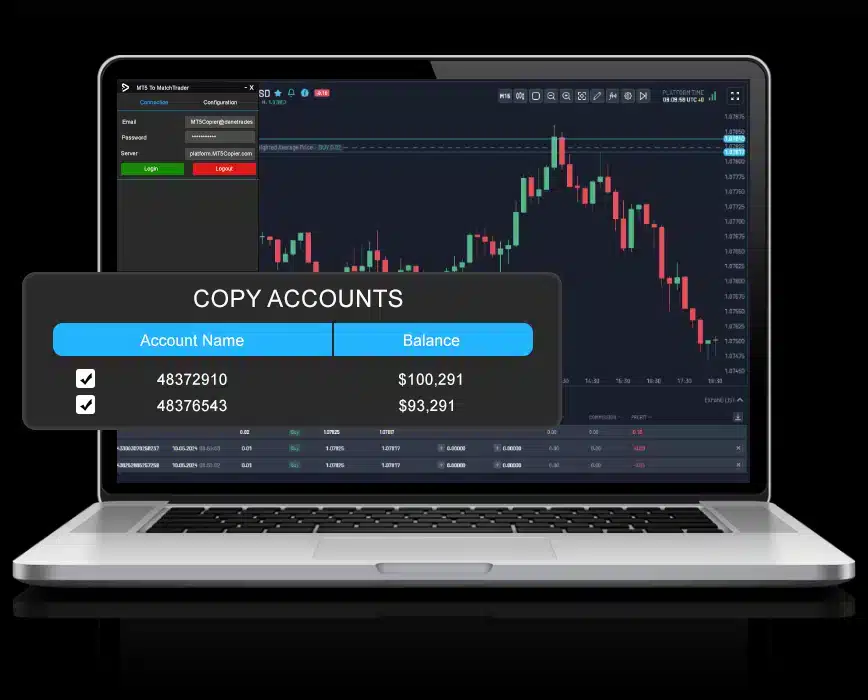
The benefits of this are pretty easy to understand. You continue using a platform you’re already an expert on. You don’t have to worry about the stability or usability of an unknown platform. Your choice of prop firms and brokers expands and most importantly, unnecessary emotions (frustration!) don’t creep into your trading.
Setting Up a MetaTrader to DXTrade Copier
The process of setting up a MetaTrader to DXTrade copier is relatively simple. Here’s how to get started:
- Install the Copier on MetaTrader
The first step is downloading a trusted copier, such as the one offered by DaneTrades, which supports both MT4 and MT5. Installation is as easy as adding it to your MetaTrader platform as an Expert Advisor (EA). - Configure the Copier Settings
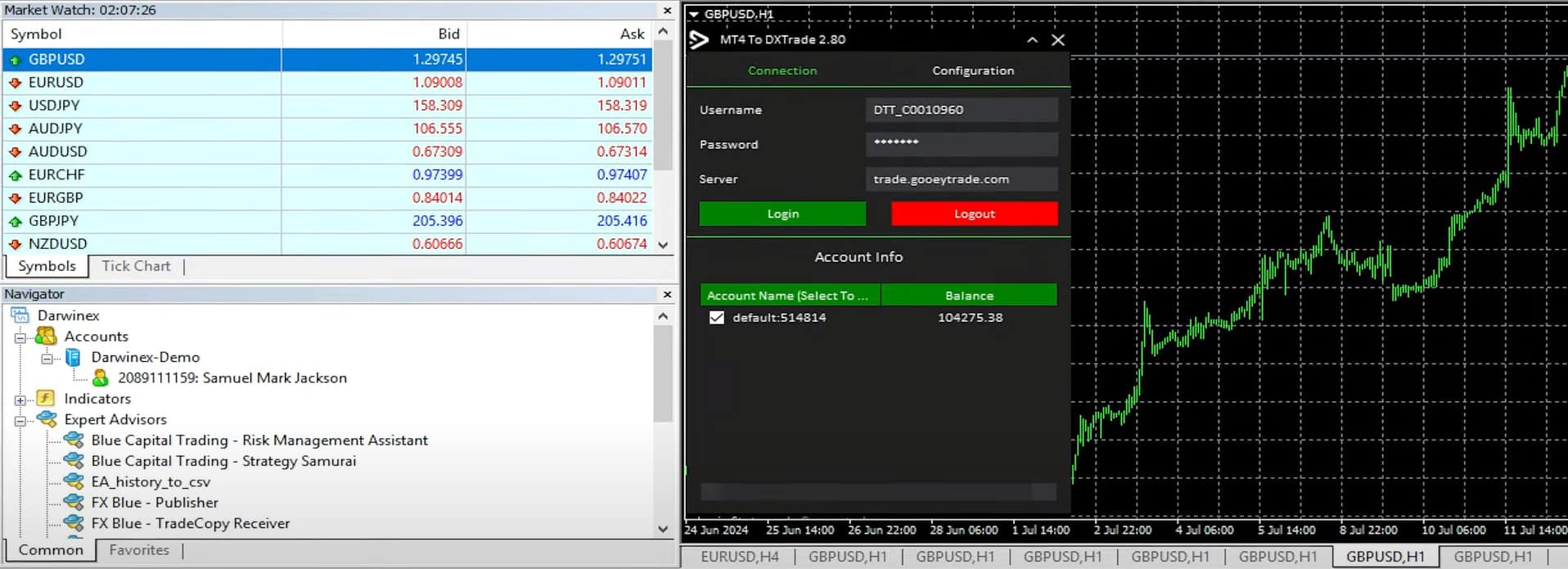
After installation, configure the settings based on your needs. Some important configurations include adjusting lot size multipliers to reflect the different balances between your MetaTrader and DXTrade accounts, setting stop losses, and ensuring that any custom parameters such as risk limits are also applied to the copier. - Input DXTrade Account Details
Next, input your DXTrade account credentials to ensure the copier can successfully transfer trades between platforms. This step is crucial for linking MetaTrader with DXTrade. - Test on a Demo Account
As is the case with any new trading strategy, robot or platforms, ALWAYS test with a demo account before you start copying trades in a live environment. You need to know how well the copier mirrors trades and whether the parameters like stop-loss and take-profit are correctly duplicated. Running a few simple trades on a demo account will help you confirm that everything is set up correctly. Once you’ve seen it working on your demo account, you can transition to live trading with small trades to make sure the demo and live servers work in the same way.
Pricing Options
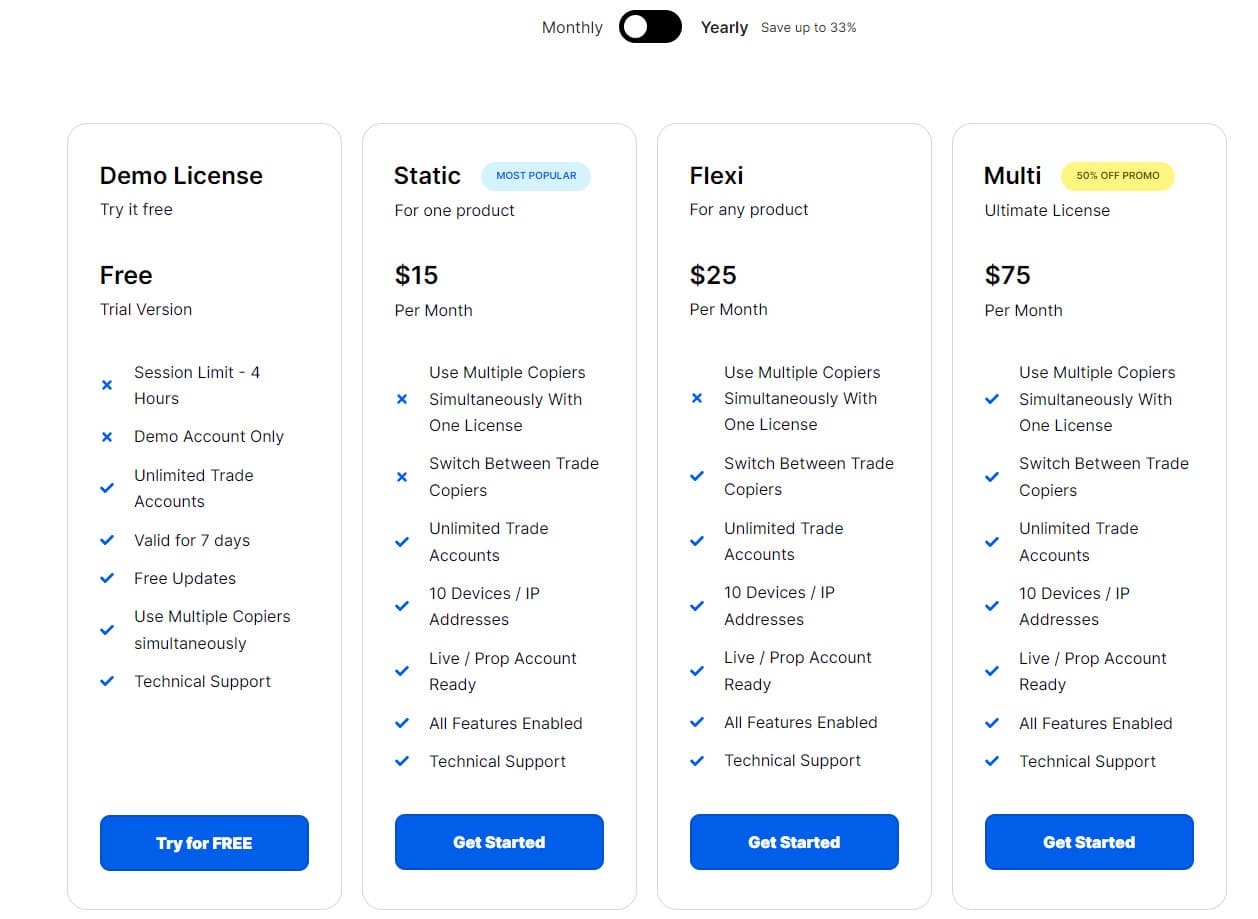
DaneTrades offers several pricing options for their MetaTrader to DXTrade trade copiers. The free, demo option is a trial license. It allows you to test the software for 7 days. However, you are limited to only 4 hours per session. And, only on a demo trading account. The paid versions can start with individual copiers for $15 per month, while the Flexi License is $25 per month. The Flexi allows you to switch between copiers every 24 hours. For traders managing multiple accounts, the Multi License is $150 per month. It offers access to all copiers simultaneously, with unlimited account support, making it ideal for professional traders or those handling multiple portfolios
Why Testing on a Demo Account is Non-Negotiable
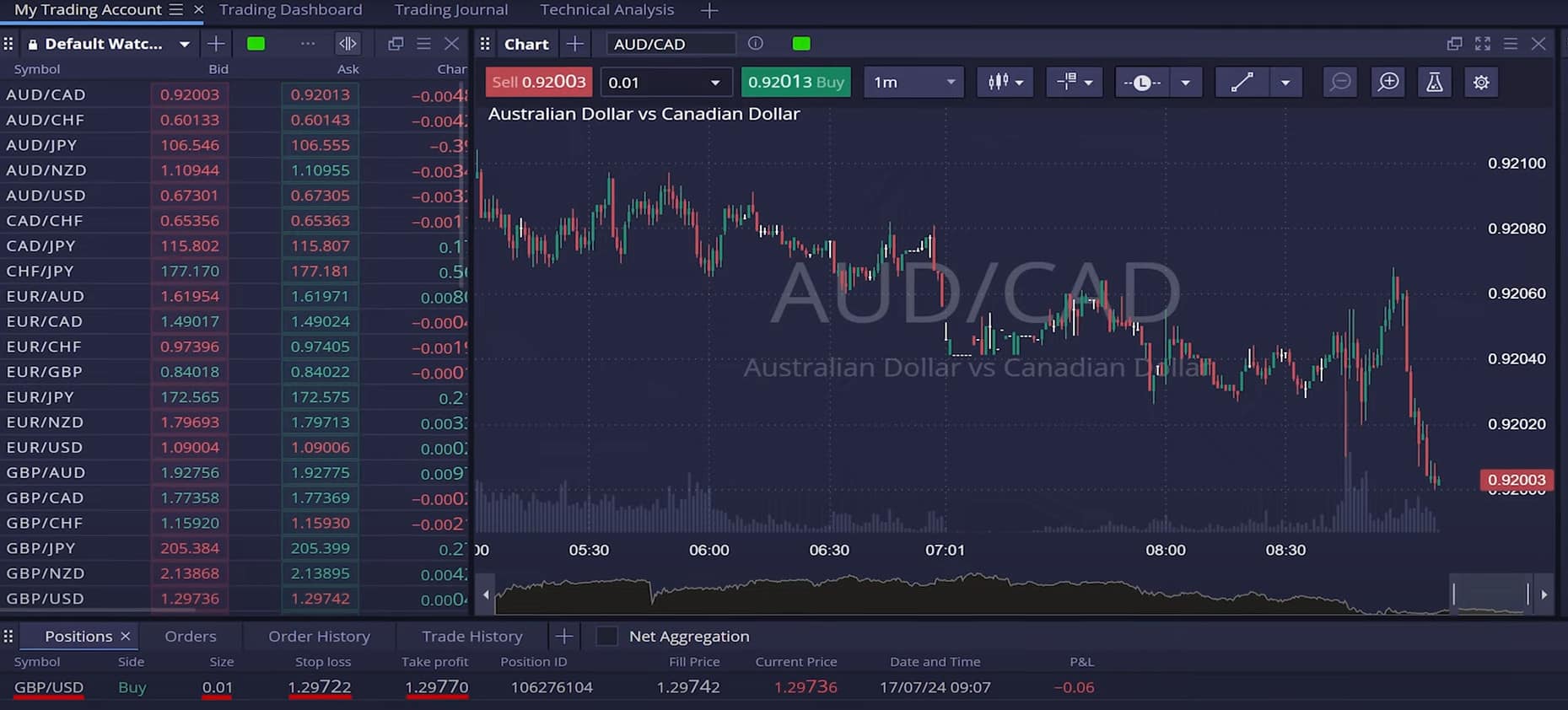
Testing the copier on a demo account allows you to get a feel for how it handles real market conditions without risking real capital. Initially, I set up my MetaTrader to DXTrade copier. I ran a GBP/USD trade with a 0.01 lot size. It flawlessly copied the trade to DXTrade, matching the stop loss and take profit exactly. Whether you’re trading MT4 to DXTrade or MT5 to DXTrade, testing on a demo ensures the copier is working as expected. After a few tests, you’ll be ready to move to live trading. This will give you comfort that your trades will be synced perfectly across both platforms.
Key Features to Look for in a MetaTrader to DXTrade Copier
Before selecting the trade copier you want to use, as there are several to choose from, you should be aware of a few key features needed. You want to know your trades will be copied correctly. Every time.
- Real-Time Execution
One of the key features is real-time execution. Your copier should mirror trades from MetaTrader to DXTrade instantly, with no delays. Any lag in execution could lead to missed opportunities, especially in fast-moving markets. - Lot Size Multipliers
Adjusting lot sizes is crucial, especially if the account sizes between your MetaTrader and DXTrade platforms differ. A lot size multiplier will automatically scale your trades to fit the balance of each account, ensuring proportional risk exposure. - Multiple Account Support
If you manage multiple accounts, whether for clients or as part of a prop firm, your copier should be able to sync trades across all accounts simultaneously. Look for multi-account support, as it simplifies the process and helps keep trades consistent across portfolios. - Risk Management Tools
A good copier will also come equipped with built-in risk management features. Some tools include maximum daily loss limits, maximum profit limits, and even symbol-specific limits, all designed to help you manage risk effectively. - Symbol Mapping
If the same asset has different symbols on MetaTrader and DXTrade, the copier should allow you to map those symbols to ensure proper trade execution. This is particularly important when trading on multiple brokers that use different symbol names for the same assets.
Real-World Example
Ok, let me give you an example of how I use my MetaTrader to DXTrade copier. One of the trades I opened was a modest GBP/USD position on MetaTrader with a 0.01 lot size and a 48-pip stop loss. Within just a few seconds, the trade was duplicated perfectly on DXTrade. The copied trade included the exact stop-loss and take-profit. To test further, I closed the trade on MetaTrader, and it was automatically closed on DXTrade as well. The process was seamless and saved me the hassle of manually entering trades on both platforms. So, it passed the test.
Benefits of MetaTrader to DXTrade Copiers for Prop Firms
For traders moving over to, or at least adding the very popular prop firm trading, a MetaTrader to DXTrade copier can be a very useful tool. Many prop firms now require traders to use DXTrade, but this doesn’t mean you can no longer use your MetaTrader setup. A copier lets you continue executing trades on MetaTrader while following the prop firm’s requirement of using DXTrade. For those of you, like myself, who manage multiple accounts, the copier automates the entire process, reducing the chances of (the ever common) human error and ensuring trades are consistent across all platforms.
Managing Risk
While using a trade copier can simplify your trading, it’s crucial to continue managing risk appropriately. For example, many copiers, like the one from DaneTrades, offer the ability to set maximum daily losses or maximum profit targets, which are invaluable tools for risk management. What this adds is an extra layer of protection. If for any reason, the copier gets the protection settings wrong, you have the peace of mind knowing your capital is safe.
It’s also important to regularly monitor your copier to ensure it’s functioning properly. Don’t become complacent just because it automates the process—make sure you’re still checking that trades are being executed as expected.
DaneTrades: A Reliable Solution
If you’re searching for a robust and trusted trade copier, DaneTrades offers an excellent option. Their copiers support both MT4 and MT5, meaning you can choose the version that best suits your platform. Key features of DaneTrades include:
- Unlimited Account Syncing
This feature allows you to sync trades across multiple accounts, making it an ideal solution for prop traders or portfolio managers who need to mirror trades on various accounts. - Real-Time Execution
The copier transfers trades instantly between MetaTrader and DXTrade, ensuring you don’t miss any market movements. - Custom Symbol Mapping
With this feature, you can map symbols accurately between MetaTrader and DXTrade, ensuring trades execute correctly even if the asset names differ.
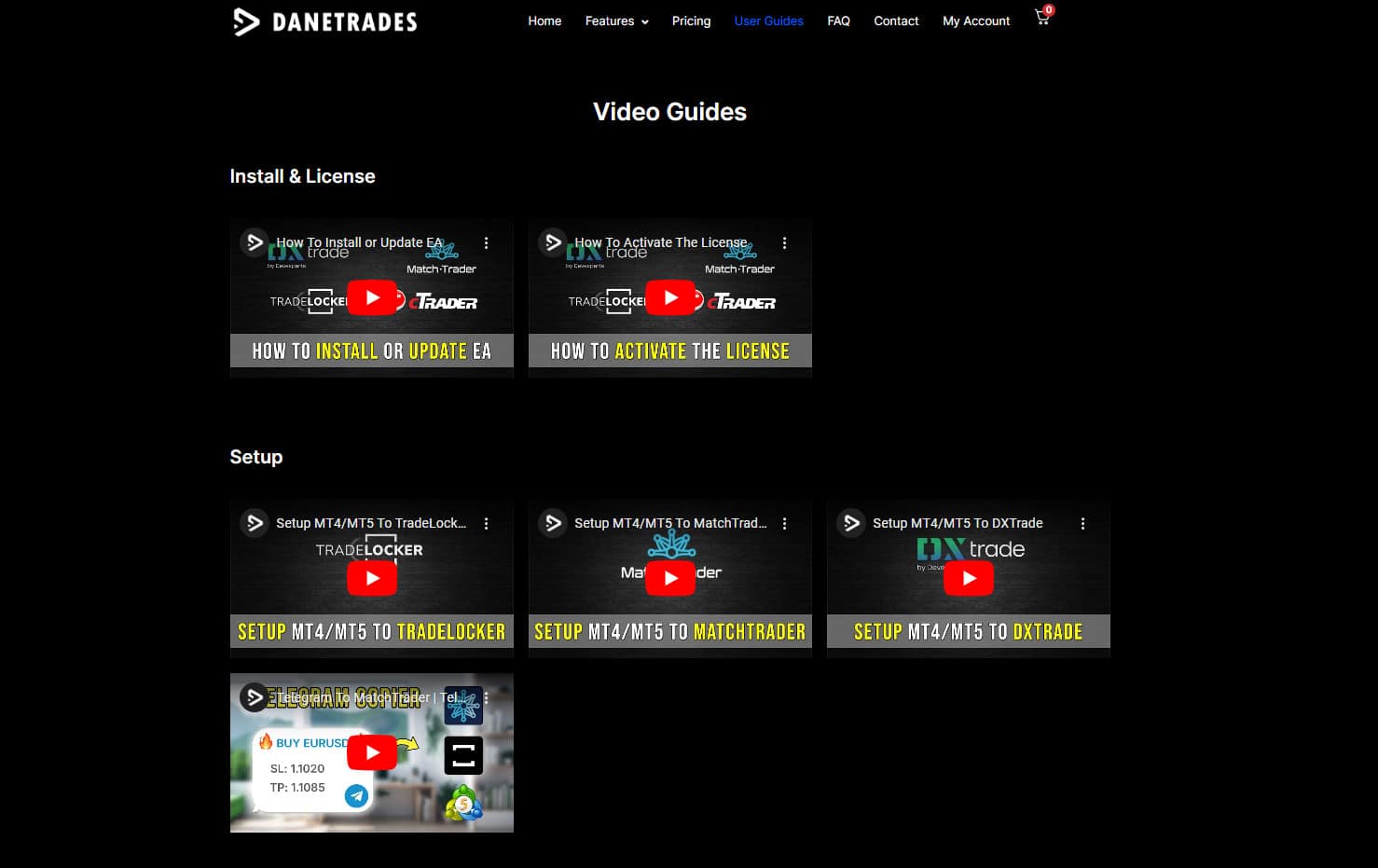
DaneTrades also provides comprehensive user guides and video tutorials, making it easy to set up even for beginners.
Final Thoughts
A MetaTrader to DXTrade copier is a very valuable tool for any trader looking for an easy way to continue using MetaTrader to trade, while getting the benefit of being able to use multiple platforms. Whether you’re a manual trader or prefer trading with robots and even managing multiple accounts, a trade copier saves you time, reduces errors, and ensures your strategies remain consistent across platforms. By configuring your copier correctly and testing it on a demo account, you can move to live trading with confidence with the benefit of trades being placed across both platforms. With solutions like DaneTrades, you’ll be able to automate this process and become a more versatile trader with more options at your disposal.