



 Petko Aleksandrov
Gold is one of the most actively traded commodities on MetaTrader platforms, available under the symbol XAU/USD on both MT4 and MT5. In this guide, you will learn exactly how to open a gold chart, place your first trade, set stop losses and take profits, manage risk, and understand what drives XAU/USD price movements, step by step.
Whether you intend to trade gold manually or eventually automate it with Expert Advisors, this walkthrough gives you the practical foundation to start correctly.
Gold Trading on MetaTrader: Quick Facts
| Feature | Details |
| Gold Symbol on MetaTrader | XAU/USD (also written XAUUSD) |
| Platforms | MetaTrader 4 (MT4), MetaTrader 5 (MT5) |
| Market Type | Commodity CFD |
| Trading Hours | 24 hours a day, 5 days a week |
| Typical Spread | 10 to 30 points (varies by broker) |
| Minimum Lot Size | 0.01 (micro lot) |
| Leverage Available | Up to 1:500 (varies by jurisdiction and broker) |
| Best For | Trend trading, breakout strategies, automated systems |
What Is XAU/USD and Why Trade Gold on MetaTrader?
XAU/USD is the trading symbol for gold quoted against the US dollar. XAU is the ISO code for gold derived from the Latin word “aurum,” and USD is the US dollar. When you trade XAU/USD on MetaTrader, you are speculating on whether the price of one troy ounce of gold, measured in US dollars, will rise or fall.
Gold CFDs on MetaTrader are not physical gold purchases. You do not receive any metal. Instead, you make a contract with the broker to profit from the difference between your entry price and exit price. This is what CFD stands for: Contract for Difference. If you buy gold at $2,300 and close the trade at $2,350, you profit from that $50 difference. If the price moves against you, you take a loss. The size of the profit or loss depends on your position size.
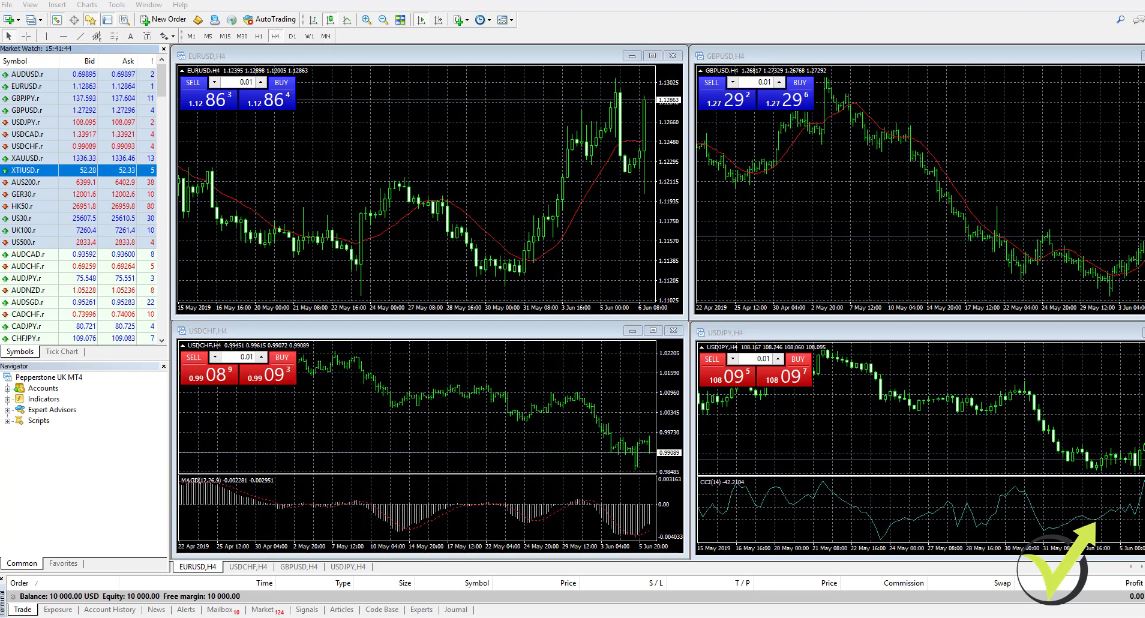
MetaTrader is one of the most widely used platforms for trading gold CFDs for several practical reasons. It is offered by the vast majority of regulated brokers worldwide, it supports both manual trading and full automation through Expert Advisors, it provides advanced charting tools suited to gold’s volatility, and it allows you to backtest trading strategies on historical XAU/USD data before risking real capital.
Having traded gold on MetaTrader across both demo and live accounts for many years and having taught this approach to over 100,000 students, I can confirm that the platform’s combination of reliability, broker availability, and automation capability makes it the most practical choice for traders at every experience level.
MT4 vs MT5 for Gold Trading
Both MetaTrader 4 and MetaTrader 5 support XAU/USD trading. The choice between them depends on your trading style and technical needs.
| Feature | MT4 | MT5 |
| Technical Indicators | 30 built-in | 80+ built-in |
| Timeframes | 9 | 21 |
| Depth of Market | No | Yes |
| Order Types | 4 | 6 |
| Economic Calendar | No (third-party) | Yes (built-in) |
| Strategy Tester | Single-currency | Multi-currency |
| Execution Speed | Fast | Faster |
| EA Language | MQL4 | MQL5 |
| Broker Availability | Universal | Growing rapidly |
For most beginners learning how to trade gold on MetaTrader, MT4 is the simpler starting point. The interface is more familiar, the learning curve is shorter, and virtually every regulated broker offering XAU/USD supports MT4. For traders who want more analytical depth, a built-in economic calendar to track macro events that move gold, or access to more advanced algorithmic development tools, MT5 is the stronger long-term platform.
From my experience teaching algorithmic trading, MT4 remains the dominant platform for gold Expert Advisors due to the massive existing library of MQL4-coded strategies. MT5 is growing in adoption, and its multi-currency backtesting capability makes it superior for portfolio-level strategy development.
How to Add XAU/USD to MetaTrader
Before you can trade gold, you need to make sure XAU/USD is visible in your Market Watch and available to chart.
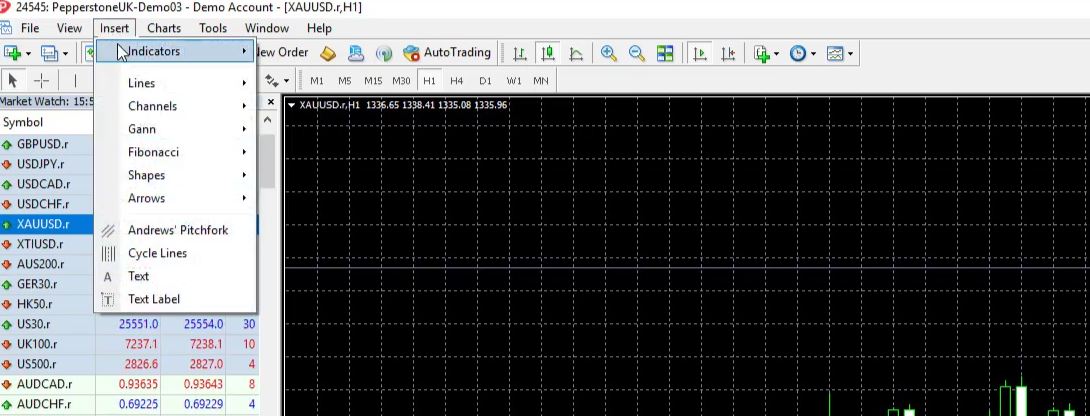
Step 1: Open Market Watch.
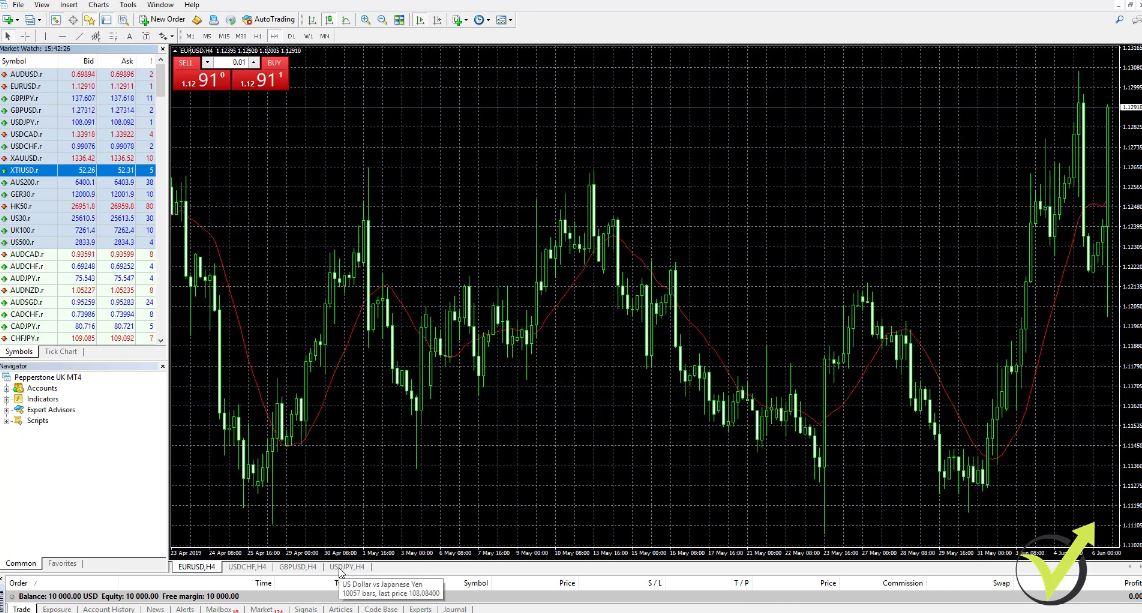
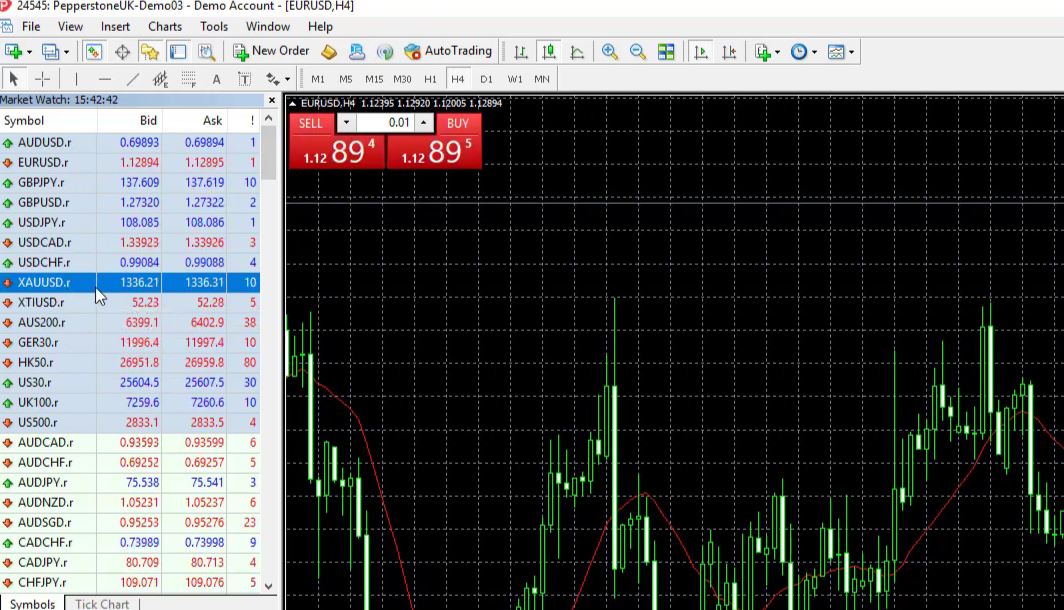
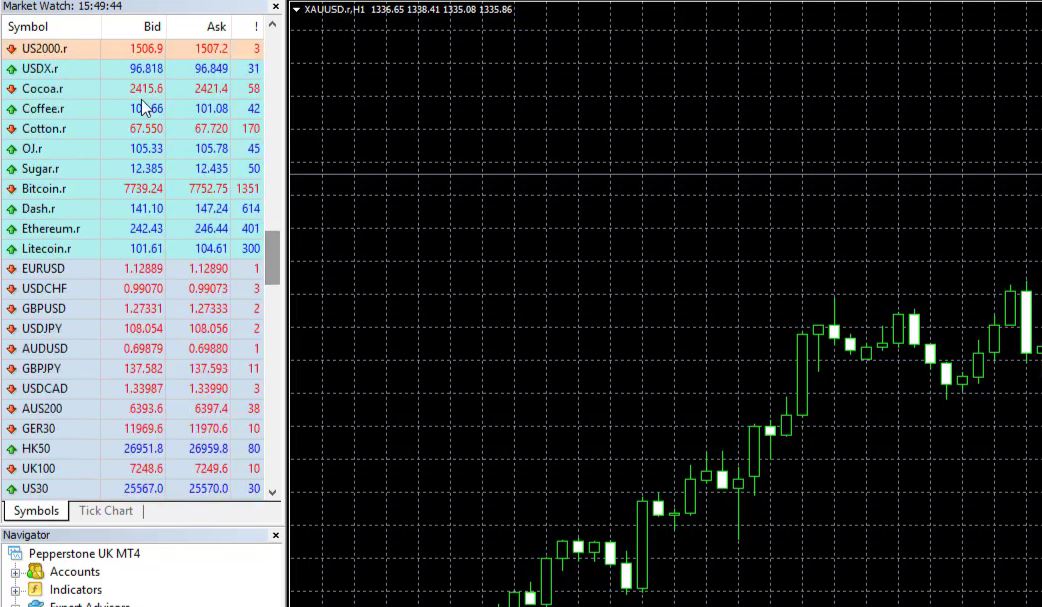
Press Ctrl+M on your keyboard, or go to View in the top menu and click Market Watch. This opens the left-side panel showing all available instruments.
Step 2: Find XAU/USD.
Scroll through the list looking for “XAUUSD,” “XAU/USD,” or “Gold.” The exact label depends on your broker. Some brokers list it as “GOLD” or “XAUUSD.” If you cannot see it, right-click anywhere inside the Market Watch panel and select “Show All.” This loads every instrument the broker offers.
Step 3: Check the spread.
In the Market Watch, you will see three columns: the instrument name, the Bid price, and the Ask price. The Ask price is the price at which you buy, and the Bid price is the price at which you sell. The difference between them is the spread, which is the broker’s cost for executing the trade.
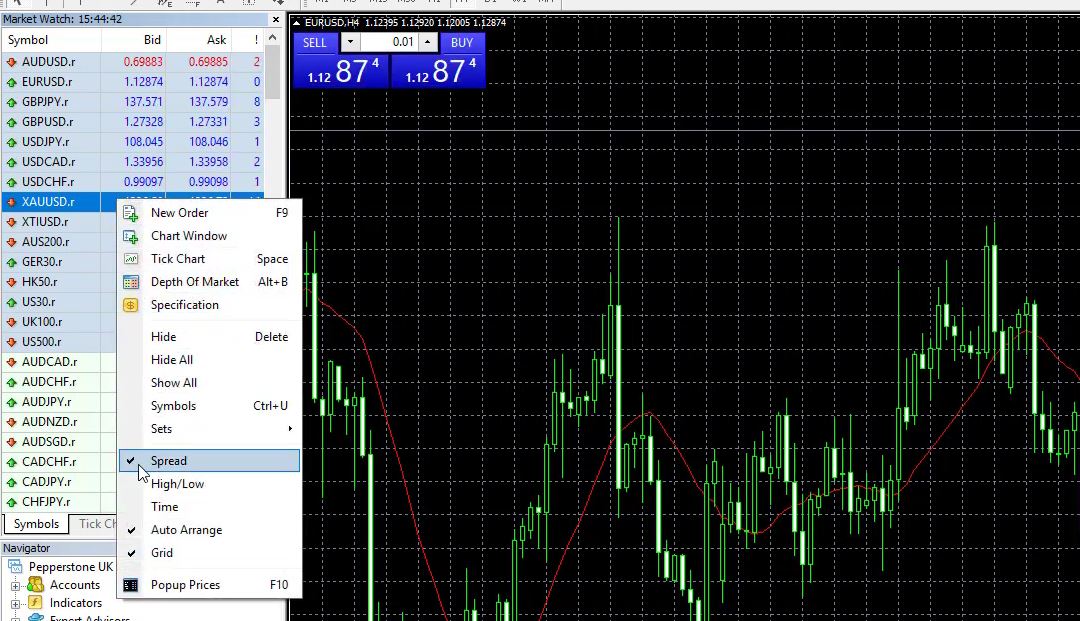
To display the spread as a separate column, right-click inside Market Watch, select “Spread,” and it will appear. Always check the gold spread before trading. Tighter spreads reduce your costs, particularly if you trade frequently or use automated strategies.
Step 4: Open a gold chart.
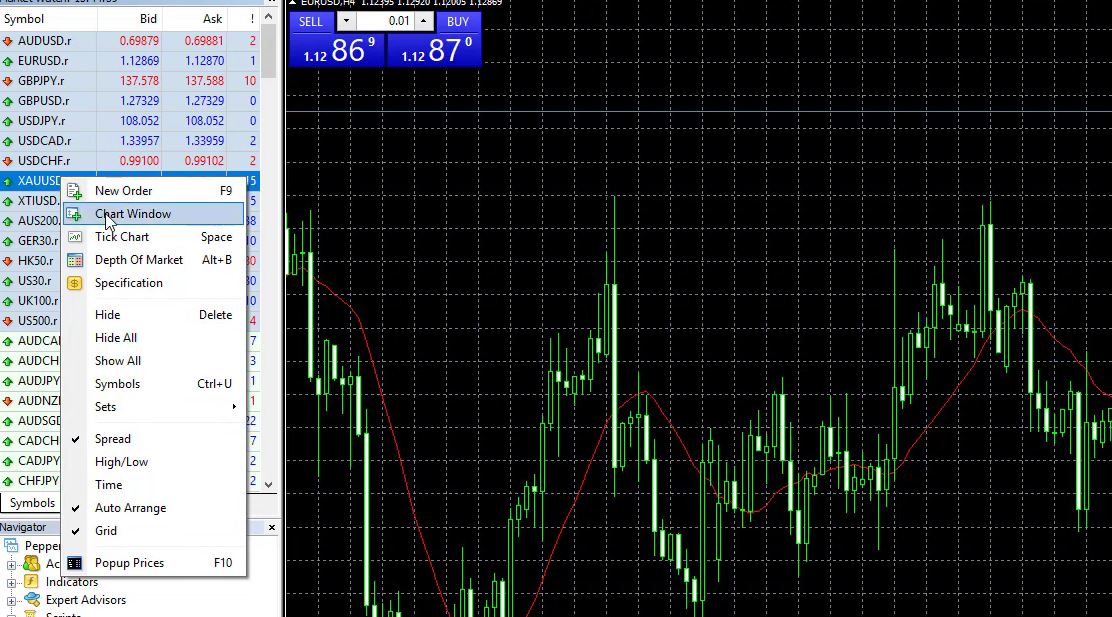
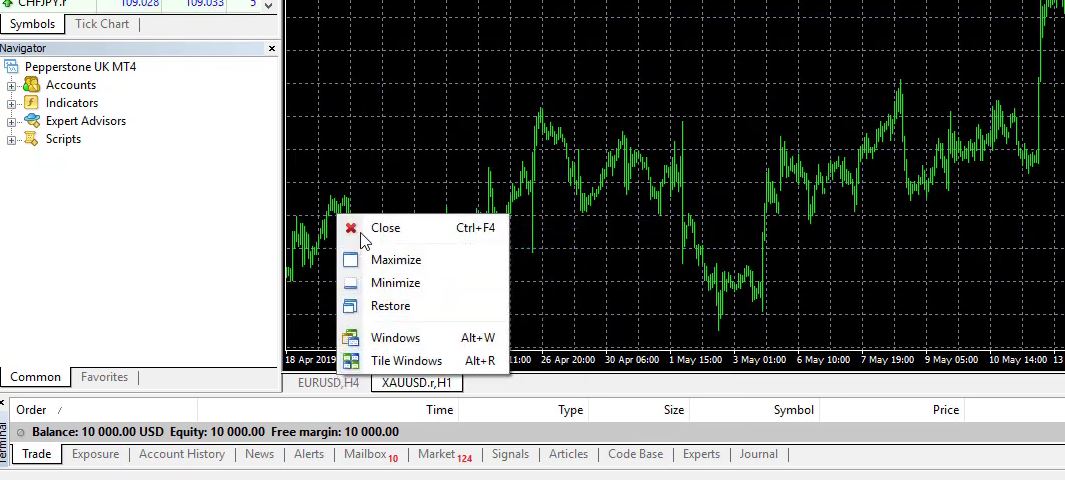
Right-click on XAUUSD in the Market Watch and select “Chart Window.” This opens a new chart window showing the live gold price. You can now resize this chart, change the timeframe, add indicators, and begin your analysis.
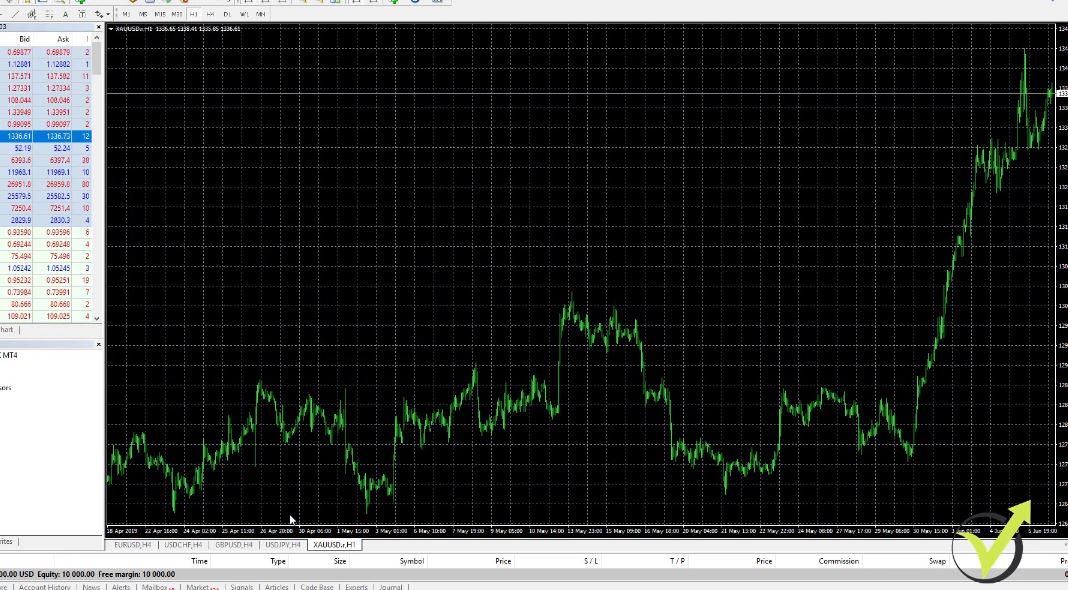
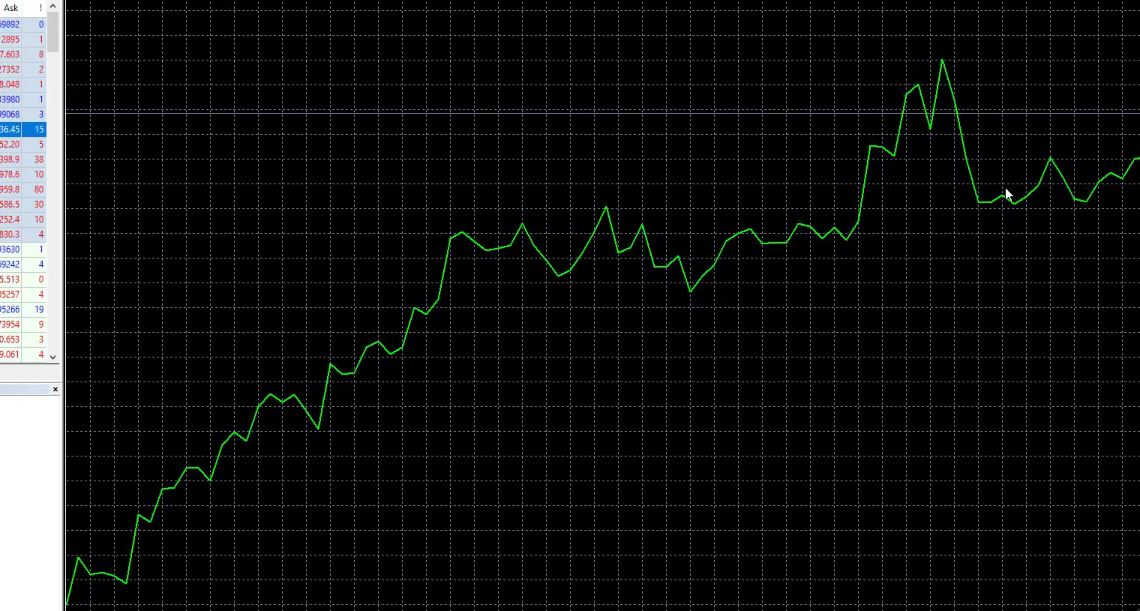
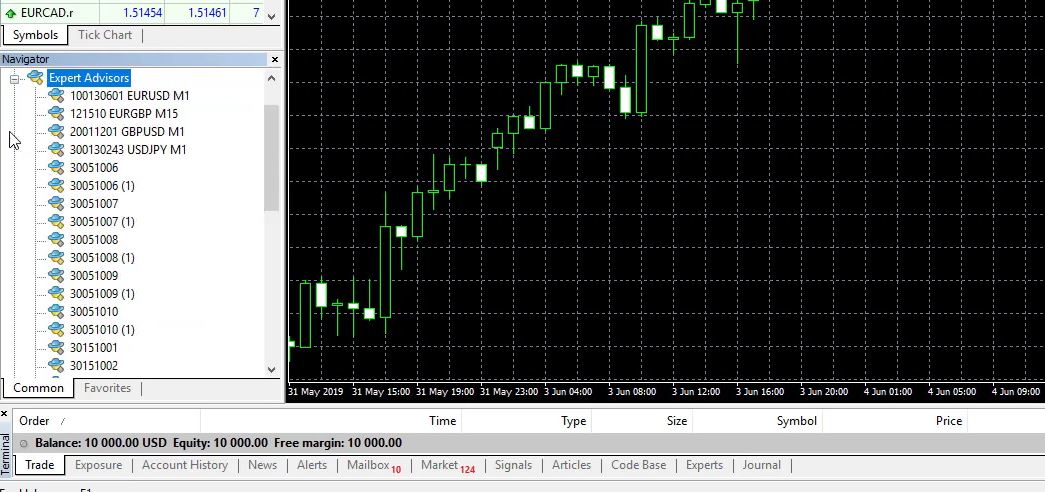
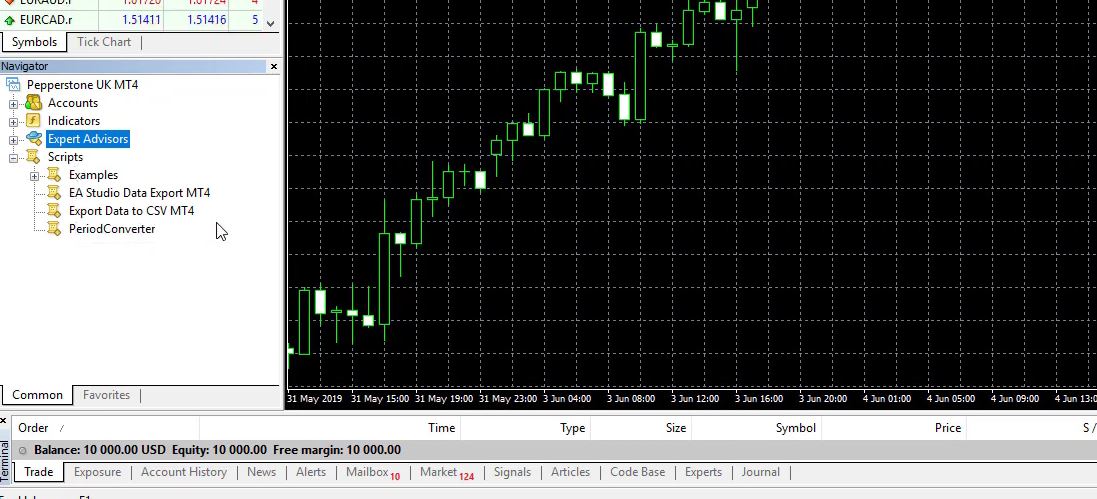
But the information that we get here is really limited.
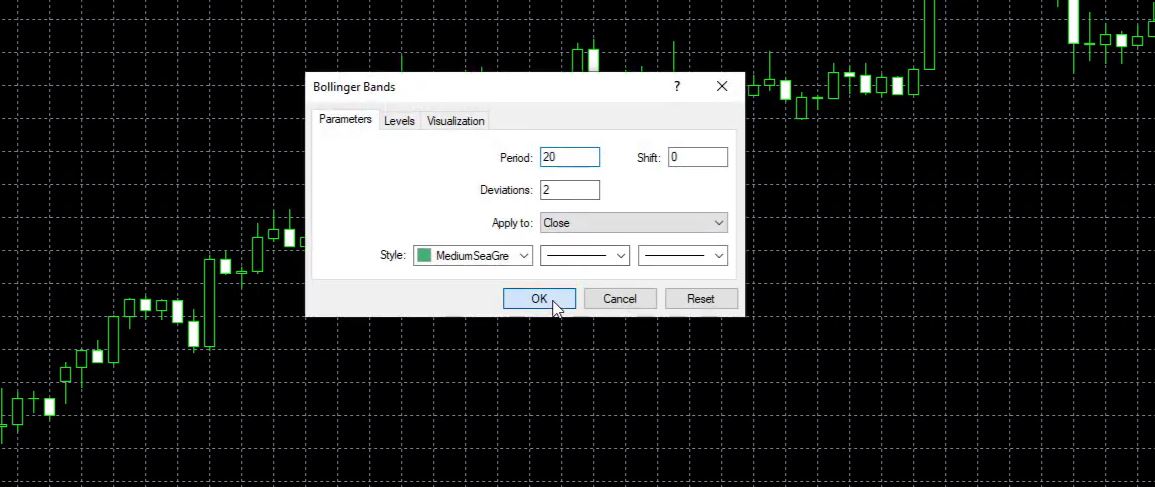
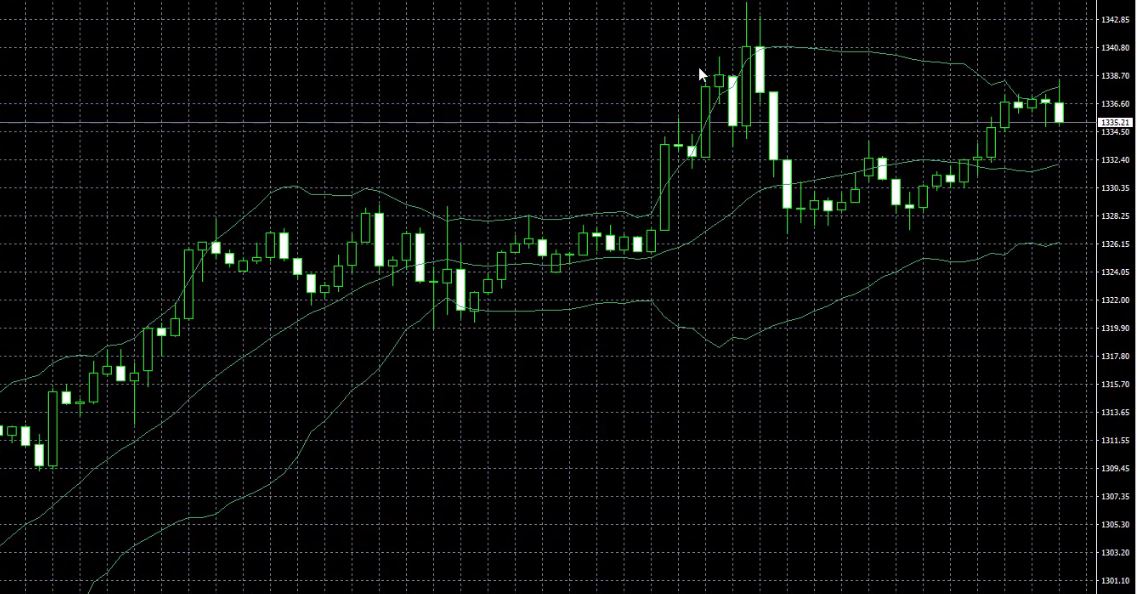
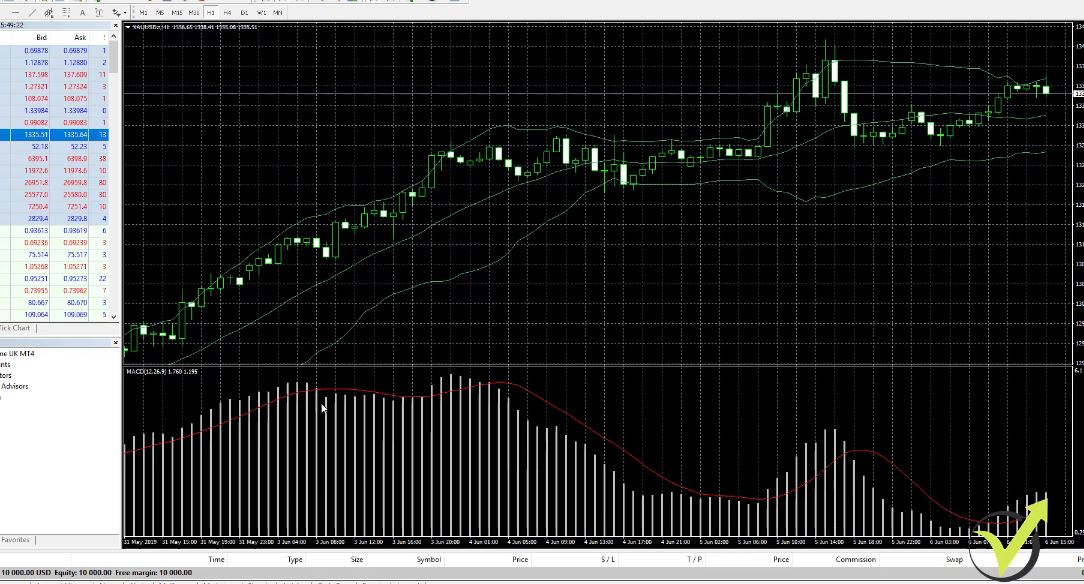
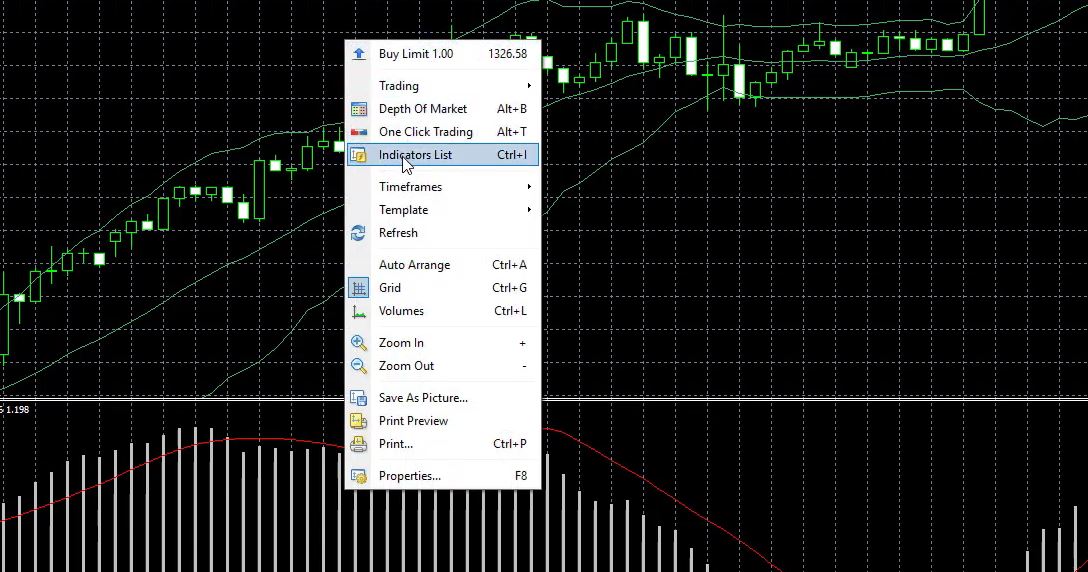
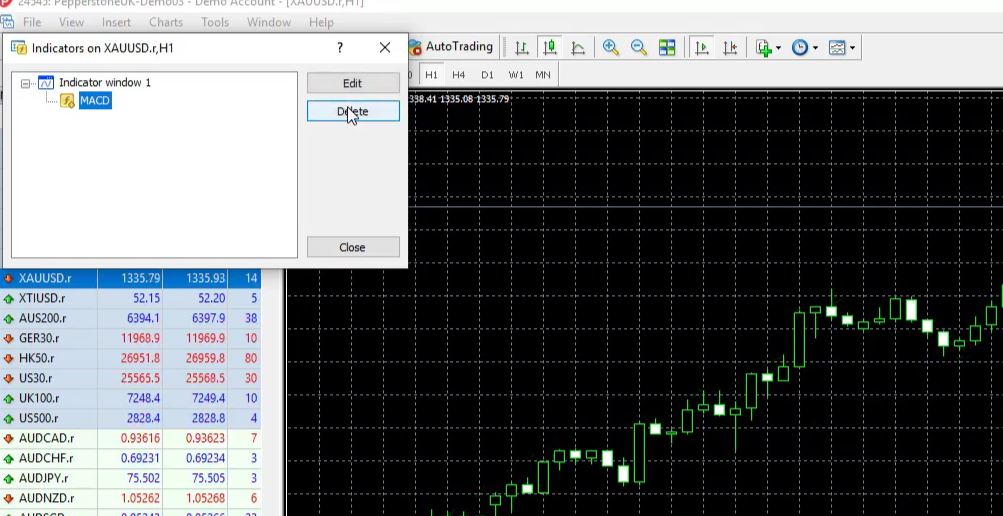
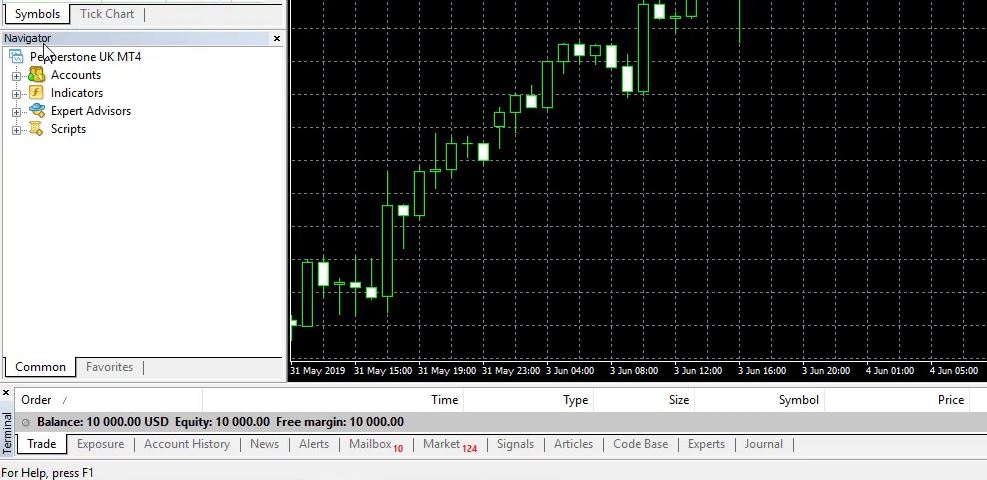
How to Read a Gold Chart on MetaTrader
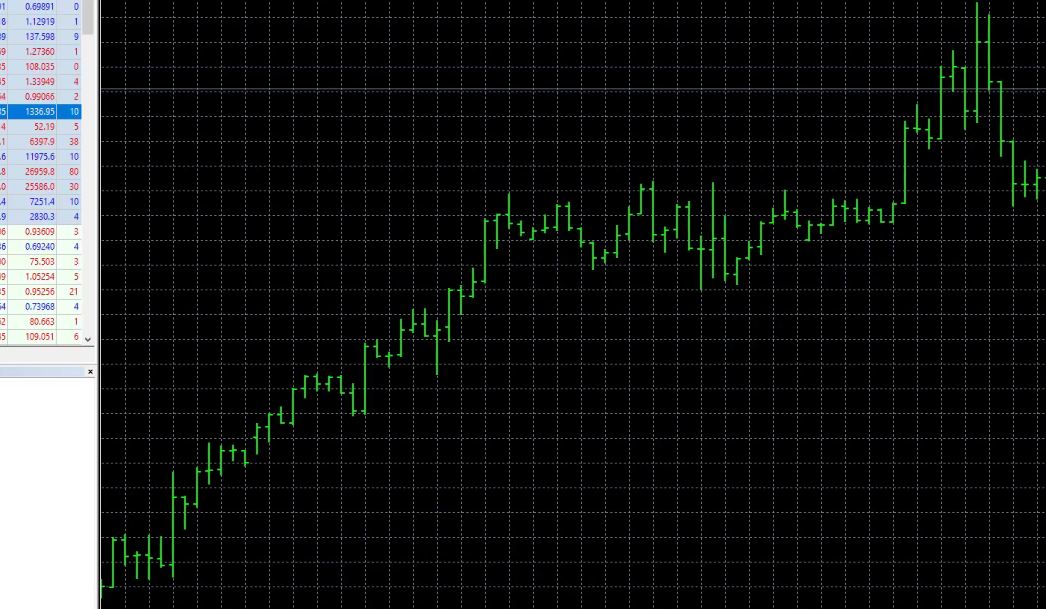
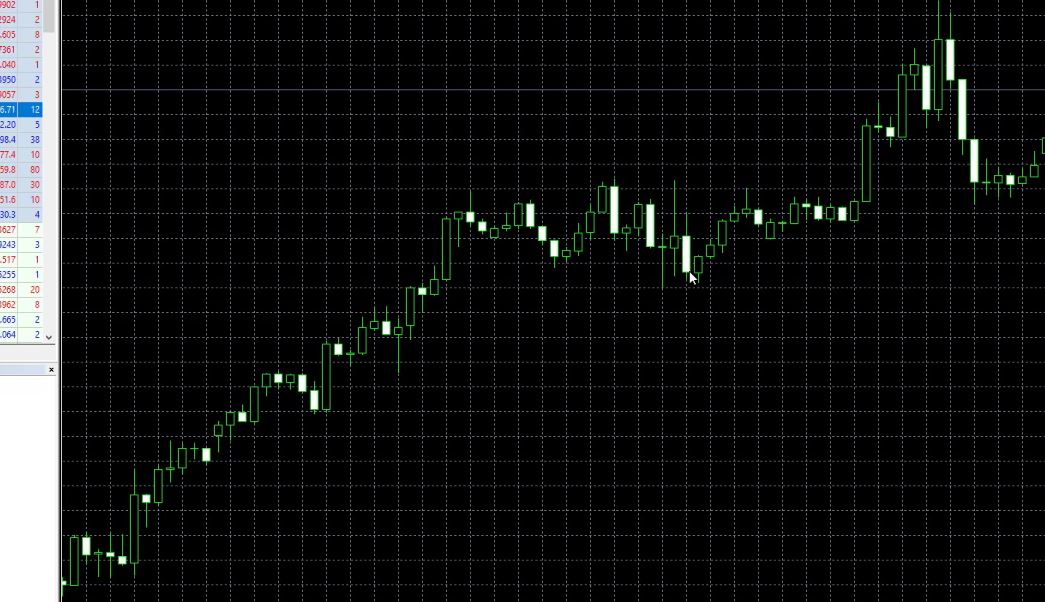
MetaTrader offers three chart types: bar charts, candlestick charts, and line charts. For gold trading, candlestick charts are the most widely used because they convey the most useful price information in the most readable format.
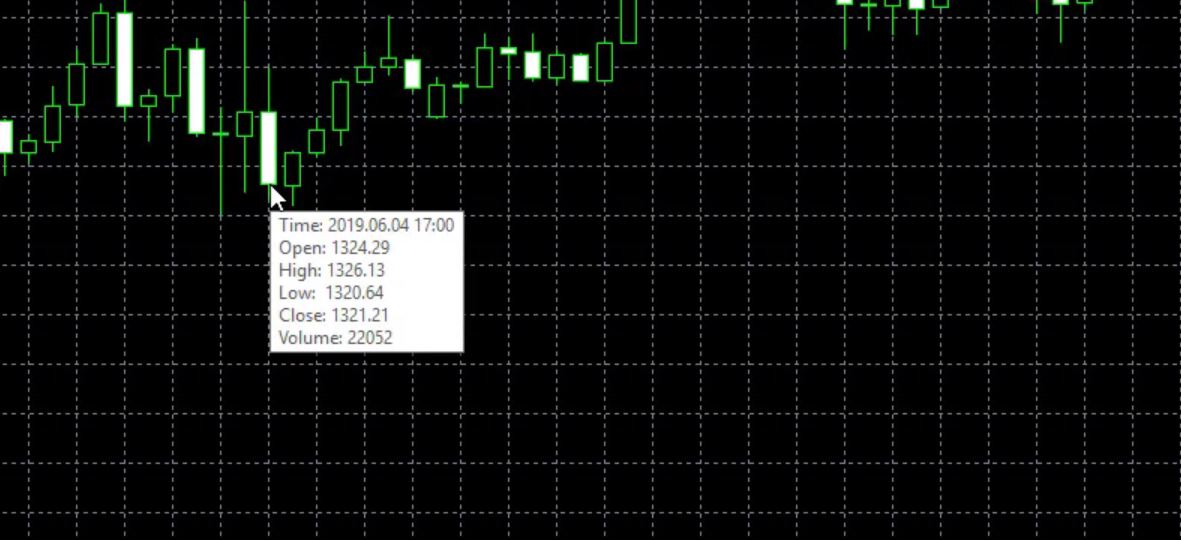
Each candlestick represents a specific time period, depending on the timeframe you have selected (for example, each candle on the H1 chart represents one hour of price action). A candlestick shows four pieces of information: the open price, the high price, the low price, and the close price. When the close is higher than the open, the candle is bullish (price moved up during that period). When the close is lower than the open, the candle is bearish (price moved down).
To change your chart type, click View in the top menu, or use the toolbar buttons to switch between bars, candlesticks, and line charts. I personally recommend candlesticks for all gold trading analysis. The line chart shows only direction and loses most of the useful price information. Bar charts convey the same data as candlesticks but are harder to read quickly.
Timeframe selection matters significantly for gold. Common approaches are to use the daily (D1) or 4-hour (H4) chart for identifying the overall trend and key price levels, then drop to the 1-hour (H1) or 15-minute (M15) chart to refine trade entries. Gold is driven by macro forces that play out over days and weeks, so higher timeframes carry more weight than on faster forex pairs.
How to Place a Gold Trade on MetaTrader: Step-by-Step
This is the core workflow for executing a gold trade on MetaTrader manually.
Step 1: Open MetaTrader 4 or MT5 and ensure XAU/USD is displayed on your chart.
Step 2: Press Ctrl+M to open Market Watch if it is not already visible, and confirm XAUUSD is listed.
Step 3: Open the New Order window. Press F9, or right-click on the chart and select “Trading” then “New Order,” or click the “New Order” button in the toolbar. This opens the order placement panel.
Step 4: Select your symbol. Confirm the symbol shown is XAUUSD. If it shows a different instrument, use the dropdown to change it.
Step 5: Set your trade volume (lot size). This is one of the most important decisions you make on every trade. Gold CFDs are measured in lots. A standard lot on XAU/USD is typically 100 troy ounces, meaning every $1 move in the gold price equals $100 profit or loss per standard lot.
A mini lot (0.1) means $10 per $1 move. A micro lot (0.01) means $1 per $1 move. Beginners should always start with micro lots (0.01) while learning. Position sizing is covered in detail in the risk management section below.
Step 6: Set your Stop Loss. A stop loss is the price level at which your trade will automatically close if the market moves against you. It is non-negotiable for gold trading due to XAU/USD’s volatility. Enter a stop loss price in the “Stop Loss” field.
As a general guide, place your stop loss below a recent support level (for buy trades) or above a recent resistance level (for sell trades), rather than at an arbitrary number of pips.
Step 7: Set your Take Profit. A take profit is the price level at which your trade automatically closes in profit. Enter this in the “Take Profit” field. Aim for a take profit that offers at least a 1:2 risk-to-reward ratio, meaning your potential profit is at least twice your potential loss.
Step 8: Select Buy or Sell. If you expect gold prices to rise, click “Buy.” If you expect prices to fall, click “Sell.” For a Buy order, you enter at the Ask price and close at the Bid. For a Sell order, you enter at the Bid price and close at the Ask. This is why the spread matters: you start every trade slightly in the negative by the width of the spread.
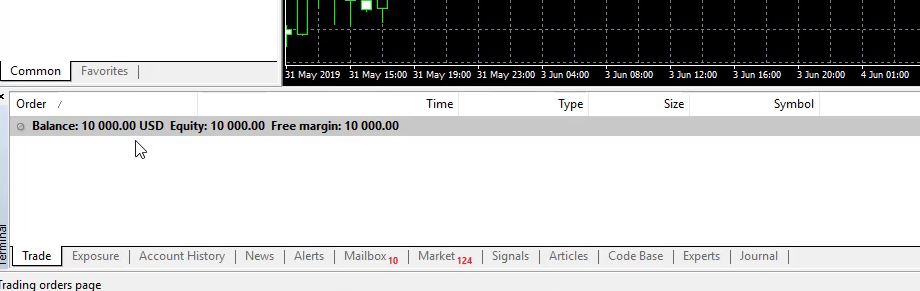
Step 9: Confirm the trade. Click “Buy” or “Sell” to execute the order. Your trade will appear in the Terminal panel at the bottom of the screen, showing the open price, current price, stop loss, take profit, and unrealised profit or loss.
Step 10: Monitor and close. You can close the trade manually at any time by right-clicking it in the Terminal and selecting “Close Order,” or let it close automatically when it hits your stop loss or take profit.
Understanding Order Types for Gold Trading
MetaTrader supports several order types for gold trading, each suited to different situations.
- Market Order: Executes immediately at the current market price. Use when you want to enter a trade right now based on current conditions. This is the most common order type for active gold traders.
- Pending Orders: Execute automatically when the price reaches a specified level. There are four types: Buy Limit (buy below current price, expecting a bounce up), Sell Limit (sell above current price, expecting a reversal down), Buy Stop (buy above current price if it breaks higher), and Sell Stop (sell below current price if it breaks lower). Pending orders are extremely useful for gold trading because they allow you to plan trades in advance around key price levels without needing to watch the screen continuously.
- Stop Loss and Take Profit: These are not separate order types but price triggers attached to an open position. Both can be modified after a trade is open by double-clicking the trade in the Terminal panel.
- MT5 adds two additional order types: Buy Stop Limit and Sell Stop Limit, which combine aspects of stop and limit orders for more precise entries. These are more advanced and not required for beginners.
What Moves Gold Prices on MetaTrader?
Understanding what drives XAU/USD price movements is a fundamental part of trading gold successfully. Gold does not move randomly. Its price responds to identifiable macroeconomic forces that experienced traders monitor regularly.
- US Dollar Strength: Gold is priced in US dollars, creating an inverse relationship. When the US dollar strengthens against other currencies, gold becomes more expensive for international buyers, reducing demand and pushing the price down. When the dollar weakens, gold becomes cheaper globally and demand rises. Watching the DXY (US Dollar Index) alongside XAU/USD is standard practice among experienced gold traders.
- Inflation Expectations: Gold is historically used as a hedge against inflation. When inflation is high or rising, investors buy gold to preserve purchasing power, pushing prices up. The relationship between gold and inflation expectations has been clearly visible throughout 2022 to 2026, a period during which elevated global inflation supported strong gold prices.
- Interest Rates and Central Bank Policy: Gold pays no interest or dividend. When central banks raise interest rates, yield-bearing assets like government bonds become more attractive relative to gold, reducing demand and price. When rates fall or central banks signal looser monetary policy, gold tends to rally. US Federal Reserve decisions and the language used in Fed statements are among the most closely watched triggers for gold volatility on MetaTrader.
- Geopolitical Risk: Gold is a safe-haven asset. During periods of geopolitical tension, military conflict, sanctions, or systemic financial stress, investors move capital into gold. These moves can be sudden and significant, producing sharp price spikes that are clearly visible on XAU/USD charts.
- Central Bank Gold Purchases: Central banks, particularly those of China, India, and Russia, have been significant buyers of physical gold in recent years. Large-scale central bank purchasing provides structural upward support to the gold price over medium and long timeframes.
Understanding these drivers does not mean you can predict every gold move. It means you understand the context behind price action, which informs better decision-making on whether to trade with or against the prevailing trend.
Gold Trading Strategies for MetaTrader
Trend Trading
Trend trading is one of the most reliable approaches to XAU/USD on MetaTrader. Gold tends to establish sustained directional moves driven by macro conditions, particularly dollar trends and inflation cycles.
The strategy involves identifying the prevailing direction on the daily or 4-hour chart, then using pullbacks on the 1-hour chart to find entries in that direction with favourable risk-to-reward ratios. Moving averages such as the 50 EMA and 200 EMA are commonly used to define trend direction on gold charts.
Breakout Trading
Gold often consolidates in a defined range before making a sharp directional break, particularly around major economic data releases. Breakout traders identify these ranges by marking horizontal support and resistance levels, then place Buy Stop or Sell Stop pending orders just above or below the range boundaries to enter automatically when the break occurs.
Support and Resistance Trading
Gold respects technical levels consistently, especially on the 4-hour and daily charts. Round numbers such as $2,000, $2,500, and $3,000 per troy ounce act as significant psychological support and resistance zones. Identifying these levels and planning entries, exits, and stop placements around them is a foundational gold trading skill on MetaTrader.
Automated Trading with Expert Advisors
MetaTrader’s most powerful differentiator is its support for Expert Advisors (EAs), which are automated trading strategies that run directly on the platform. An EA can trade XAU/USD around the clock, applying a defined strategy with complete consistency and without emotional interference. EAs can be based on any of the manual strategies above, coded to scan for entry conditions, manage risk, and close trades automatically.
From my experience developing and testing gold Expert Advisors across multiple market cycles, the most important factors for a successful XAU/USD EA are realistic backtesting over at least three to five years of historical data, adequate handling of gold’s news volatility, and conservative position sizing. I cover this in detail in the Algo Trading Space gold EA courses, which are based on hands-on testing rather than theoretical frameworks.
Risk Management When Trading Gold
Gold is one of the most volatile liquid instruments available on MetaTrader. Price can move $30 to $100 in a single session during major macro events. Risk management is not optional; it is the single most important factor separating consistently profitable traders from those who blow accounts.
- Position sizing: The standard rule is to risk no more than 1 to 2% of your total account balance on any single gold trade. For a $1,000 account, that means a maximum risk of $10 to $20 per trade. With a micro lot (0.01) on XAU/USD, each $1 move in gold equals $0.10 profit or loss, so a 100-point ($1) stop loss on 0.01 lots risks $10. Calculate your lot size based on your stop loss distance and your maximum dollar risk per trade, not based on gut feeling.
- Stop losses are non-negotiable: Every gold trade must have a stop loss set at the time of entry. Gold can gap significantly on news events, and without a stop loss in place, a single adverse move can cause a loss that exceeds your intended risk many times over.
- Leverage awareness: High leverage on XAU/USD amplifies gains but equally amplifies losses. A 1:100 leverage ratio means a 1% adverse move in gold eliminates 100% of the margin committed to that position. Start with low leverage, especially while learning. The ability to use high leverage does not mean it is wise to do so.
- News event management: Gold reacts violently to US CPI releases, Federal Reserve interest rate decisions, non-farm payroll reports, and major geopolitical developments. If you are not an experienced news trader, the safest approach is to close or reduce positions before high-impact scheduled events, particularly during the early stages of learning gold trading on MetaTrader.
- Demo account first: Every new gold trader should begin on a demo account. MetaTrader demo accounts replicate real market conditions, including live spreads and execution speeds. I always recommend that students trade demo until they are consistently profitable across at least one to two months before committing real capital. This advice is not cautionary boilerplate; it is based on observing thousands of students make the transition from demo to live trading.
How to Choose a Broker for Gold Trading on MetaTrader
The broker you choose significantly affects your gold trading experience. Not all brokers that offer MetaTrader and XAU/USD provide equivalent conditions.
- Spread size: Gold spreads vary substantially. On Raw Spread or ECN accounts at competitive brokers, XAU/USD spreads can be 10 to 15 points. On standard accounts, spreads of 25 to 50 points are common. Lower spreads directly reduce your per-trade cost, which matters especially for active or automated trading.
- Execution speed and reliability: Gold moves fast. Broker execution from Equinix NY4 or equivalent financial data centres provides the lowest possible latency between your order and the market. Slow execution increases slippage and reduces fill quality.
- Regulation: Only use brokers regulated by credible authorities such as ASIC (Australia), FCA (UK), CySEC (Cyprus), or comparable Tier 1 and Tier 2 regulators. Regulation ensures segregated client funds, transparent pricing, and access to formal complaint mechanisms. I never recommend unregulated brokers to students, regardless of how competitive their spreads appear.
- Swap fees: Gold positions held overnight accrue swap fees (the cost of rolling a leveraged position to the next trading day). On a standard lot of XAU/USD, swaps can amount to several dollars per night. For strategies that hold positions for multiple days, check swap rates carefully before choosing a broker, as these costs can significantly erode profitability.
- VPS availability: For automated gold trading with Expert Advisors, you need your MetaTrader platform running continuously. Many brokers partner with VPS providers or offer free VPS access to clients who meet minimum volume thresholds. VPS hosting keeps your EAs running 24/5 without dependency on your local computer or internet connection.
- MetaTrader version compatibility: Confirm the broker supports your preferred version, MT4 or MT5, and that XAU/USD is available on that version with acceptable conditions.
Pros and Cons of Trading Gold on MetaTrader
| Pros | Cons |
| XAU/USD is highly liquid and available 24/5 | Gold is volatile and can move sharply on news events |
| MetaTrader supports full EA automation on gold | Swap fees can be significant for multi-day positions |
| Raw spreads as low as 10 points at competitive brokers | High leverage magnifies losses as well as gains |
| Strong technical level respect on all timeframes | Beginners often underestimate position sizing risks |
| Consistent macro drivers make gold more predictable than many forex pairs | Broker spread quality varies significantly |
| Demo accounts available on MT4 and MT5 for risk-free practice | MT4 strategy tester is single-currency only |
Frequently Asked Questions
What symbol is gold on MetaTrader?
Gold is traded as XAU/USD on MetaTrader, also written without the slash as XAUUSD. XAU is the international ISO code for gold, derived from the Latin “aurum,” and USD is the US dollar. Some brokers may label it simply as “Gold” or “GOLD” in their Market Watch. If you cannot find it, right-click inside the Market Watch panel and select “Show All” to display every instrument your broker offers.
Can beginners trade gold on MT4?
Yes. MT4 is one of the most accessible platforms for beginners trading gold CFDs. The interface is straightforward, virtually every regulated broker offering XAU/USD supports it, and the demo account allows you to practise without financial risk. Beginners should start with micro lots (0.01), always use a stop loss, and trade on demo until consistently profitable before moving to a live account.
Is MetaTrader good for gold trading?
MetaTrader is one of the best platforms available for gold trading. It offers fast execution, flexible charting, full support for technical indicators, built-in strategy backtesting, and Expert Advisor automation for XAU/USD.
The combination of manual and automated trading capabilities in a single platform, combined with near-universal broker availability, makes it the most practical choice for gold traders at all experience levels.
What lot size should beginners use for gold on MetaTrader?
Beginners should start with micro lots (0.01 lots). On XAU/USD, one micro lot means each $1 move in the gold price equals $0.10 profit or loss. This allows you to practice real execution and real risk management with minimal financial exposure while you build experience. Never trade a position size that risks more than 1 to 2% of your account balance on a single trade.
Is gold more volatile than forex?
Yes, generally. XAU/USD can move $30 to $100 or more within a single trading session during high-impact events, representing percentage moves that are significantly larger than those seen on major forex pairs like EUR/USD during the same period.
Gold’s volatility is driven by its sensitivity to macro events, including Federal Reserve decisions, US inflation data, and geopolitical developments. This volatility creates trading opportunities but also requires stricter risk management than many forex pairs.
Can I use Expert Advisors to trade gold on MetaTrader?
Yes, and this is one of MetaTrader’s most significant advantages for gold trading. Both MT4 and MT5 support Expert Advisors that can trade XAU/USD fully automatically, applying a defined strategy around the clock without manual intervention.
Gold is one of the most popular assets for EA development due to its consistent macro drivers and strong technical level respect. EAs should always be backtested thoroughly on historical XAU/USD data before deployment on a live account.
How do I find the best spread for gold on MetaTrader?
In the Market Watch panel, right-click and enable the “Spread” column to see the current spread on XAUUSD in points. Compare this figure across brokers. Raw Spread or ECN account types at competitive brokers typically show spreads of 10 to 20 points on XAU/USD. Standard accounts typically show 25 to 50 points.
Always check the spread under normal market conditions and during the London or New York session when liquidity is highest, as spreads can widen significantly outside these hours or around news events.

