

Today I will share with you how to backtest a Bitcoin trading strategy or how to perform Bitcoin robot backtesting on MetaTrader.
While I’m waiting for some more results with the robot, I will demonstrate to you how backtesting works on MetaTrader. You will see that it’s super similar to what we see in EA Studio.
How to backtest Bitcoin trading strategy
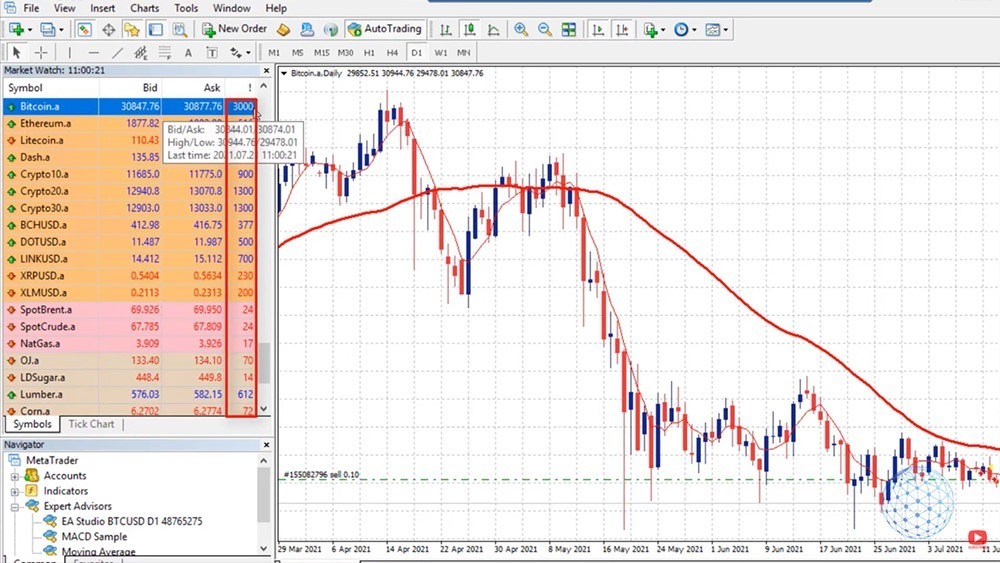
So right in front of me, I have the MetaTrader on my VPS. This is where I have placed the Bitcoin trading strategy I showed you in a previous lecture. And you see that I have a sell trade opened at 32,829.33, the current price is 30,825, which brings me a profit of $197. And we will see how this trade will go if we have a new bar opening above the Moving Average, the 5 Moving Average, the position will close on profit.
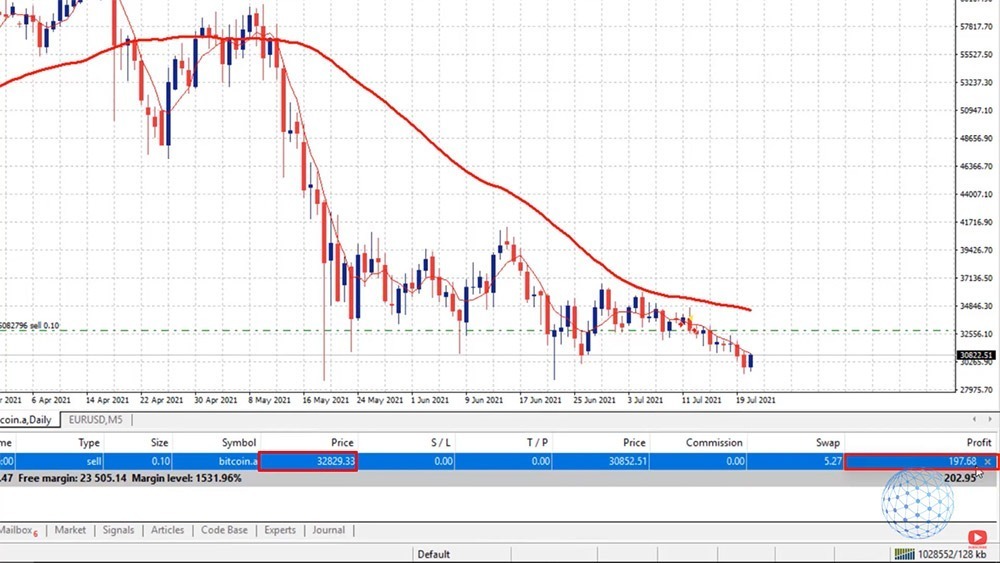
The only scenario this position might close on a loss, the price goes above the opening, and tomorrow opens above the 32,829. In this case, the position will be closed on a loss. But we need to see a really positive day in order for this to happen. But we will see how it will go.
Now, while I’m waiting for some more results from this automated Bitcoin strategy, what I want to show you is how to backtest the Bitcoin robot on MetaTrader. And probably, this is the easiest way to backtest the Bitcoin strategy on your broker. Alright?
Setting the backtesting settings in Strategy Tester
So if you have already chosen a broker and you have installed the MetaTrader, you have the robot downloaded from the Simple Bitcoin Trading Strategy course, you can backtest it and see how the Robot performed with your broker. Because the brokers offer a different bid and ask price, different spread, so the results are slightly different from one broker to another or from one platform to another.
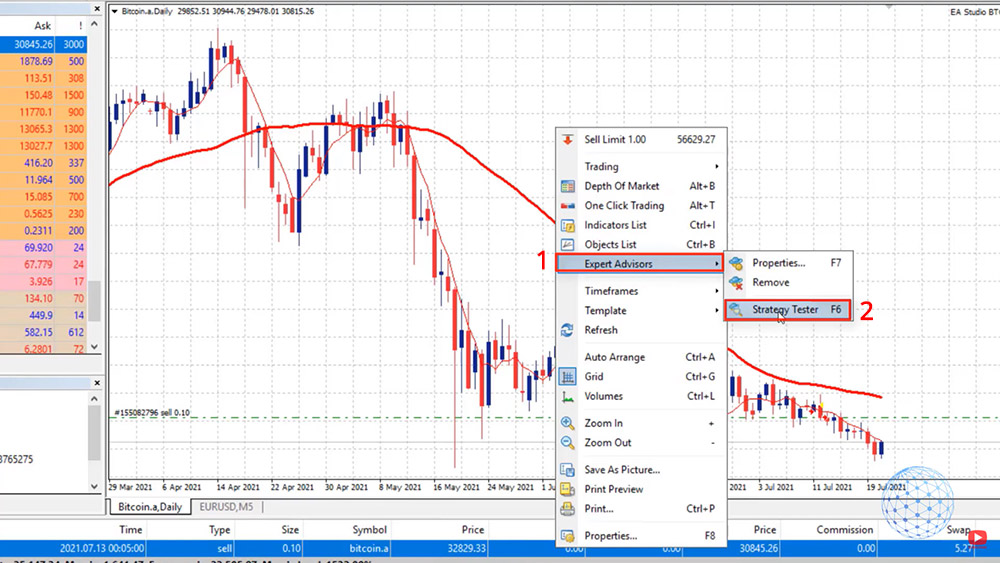
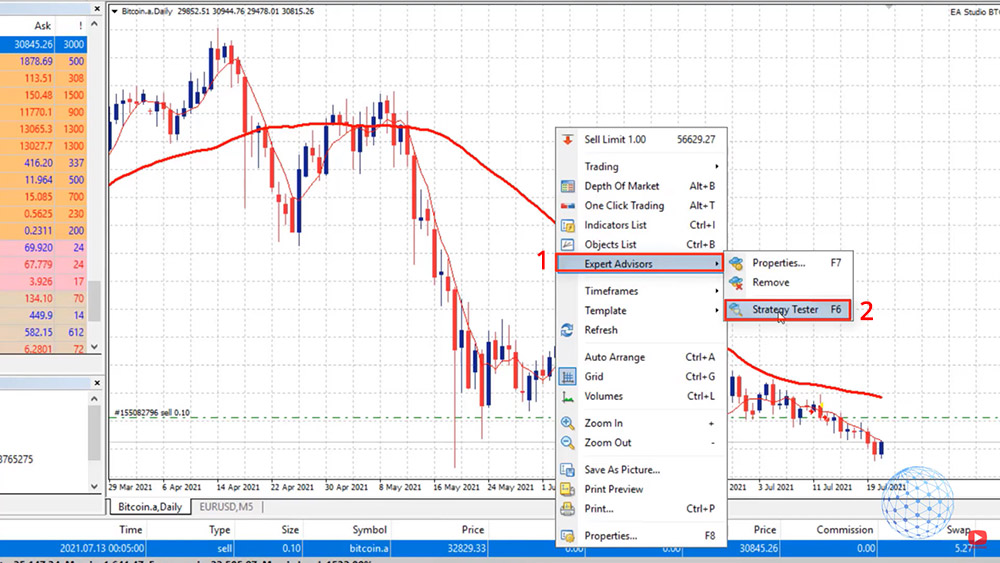
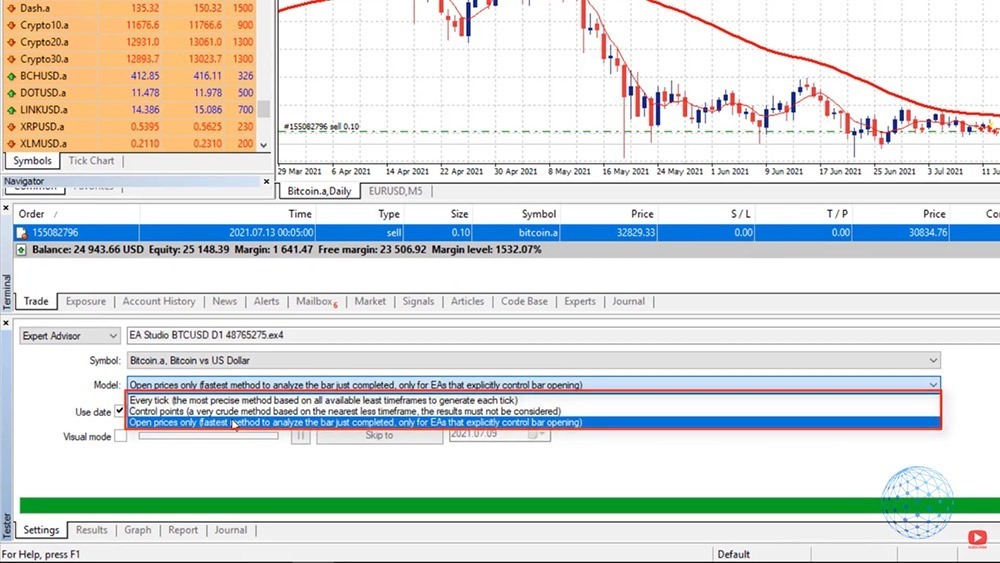
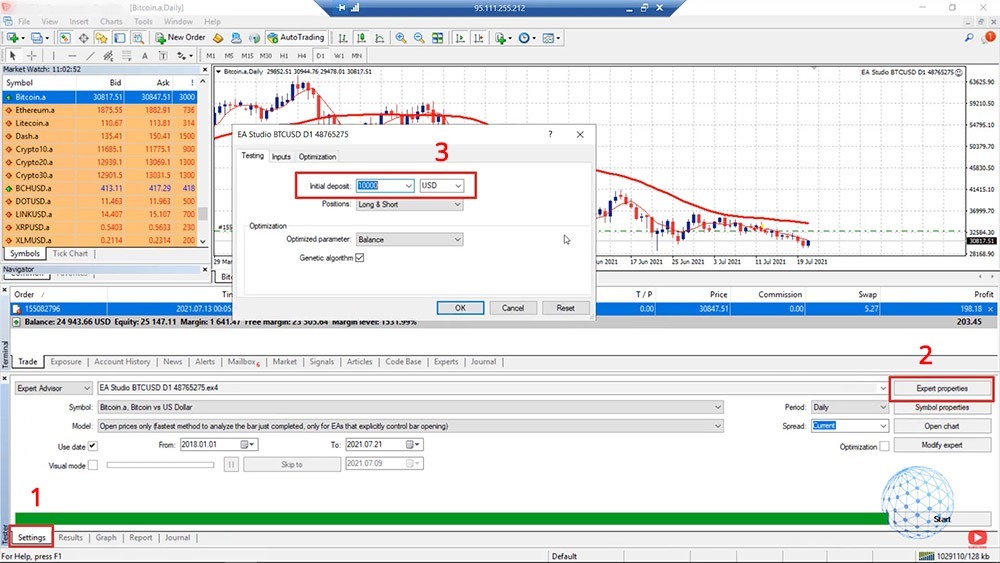
So what I will do, I will right-click over the chart, I will go to Expert Advisors, and I will go to Strategy Tester. Or you can do that by pressing F6 on your keyboard. The Expert Advisor is placed automatically, the ‘Symbol’ as well.
Then on the ‘Model’, we have 3 options: Every tick, Control points, and Open prices only. Now, the model depends a lot on how the Robot or the Expert Advisor was coded. So in our case, I will select Open prices only because the Bitcoin strategy works on the opening of the bar.
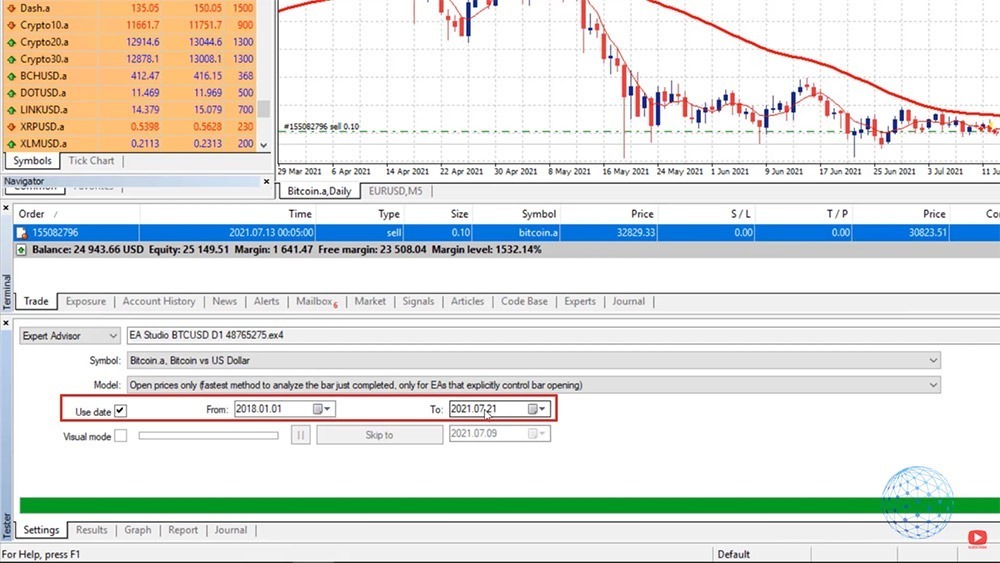
And then below we have the period. You can uncheck the ‘Use date’ if you don’t want to use the period but you want to backtest the robot on the complete historical data you have. I will show you the difference in a second. For the moment, I will just check it and I will start the backtest from the 1st of January, 2018, right until the current moment.
Then we have on the right side the ‘Period’. This Bitcoin strategy works on the daily chart, so leave it to ‘Daily’ and the ‘Spread’ is ‘Current’. With the broker I have selected, it is actually fixed at $30 so doesn’t really matter if I will leave it to ‘Current’ or I will write $30.
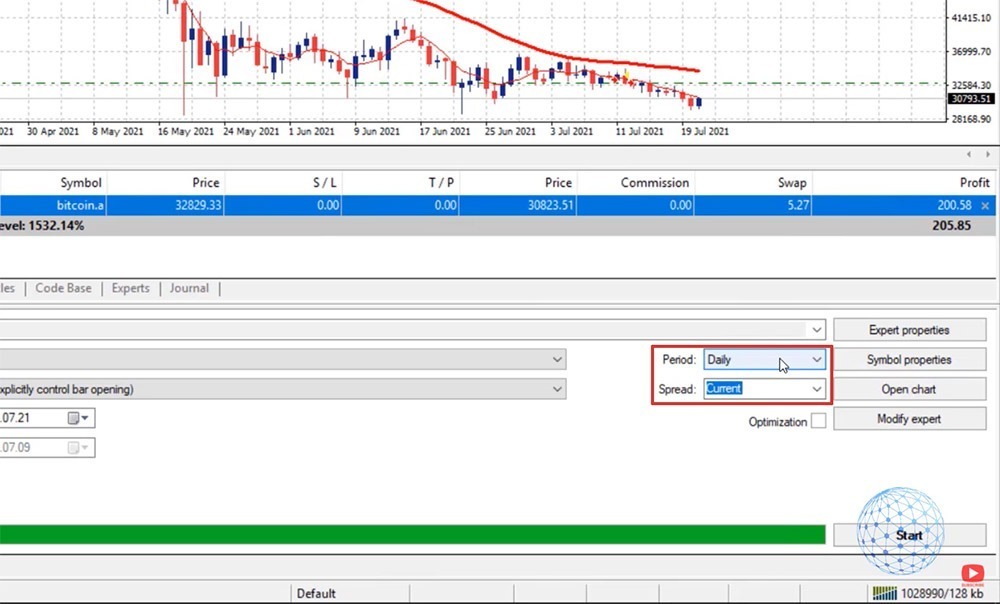
And then I will just click on Start and that’s it. It’s ready. It works that fast with such a Robot on a daily chart.
Results from the Bitcoin strategy backtest
I will click on the Results then, and you will see all the trades that were executed from the very beginning. So this account starts from $10,000.
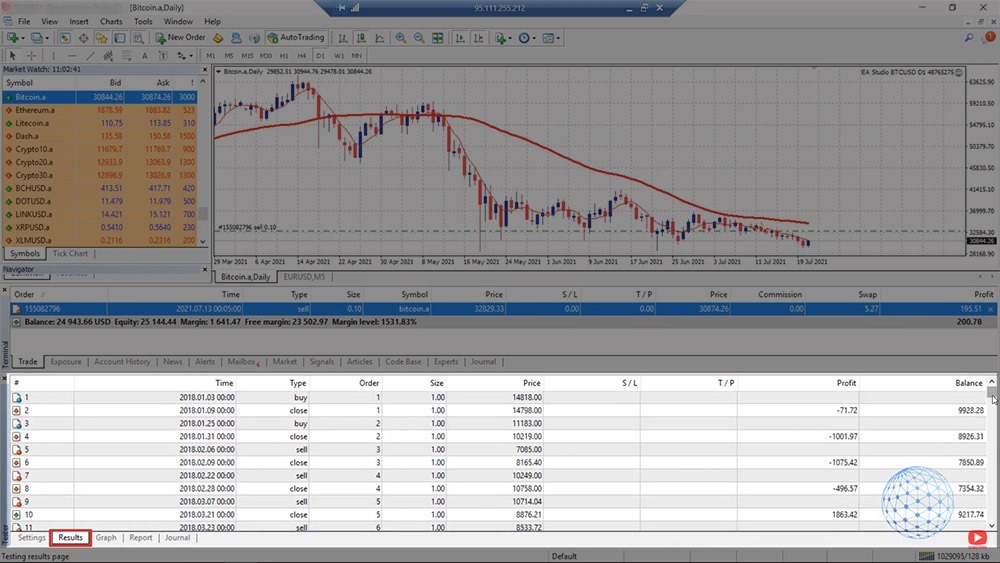
Actually, if I go back to Settings and if I go to Expert properties, this is where you can set the initial deposit. By default it’s 10,000. It’s alright to leave it there.
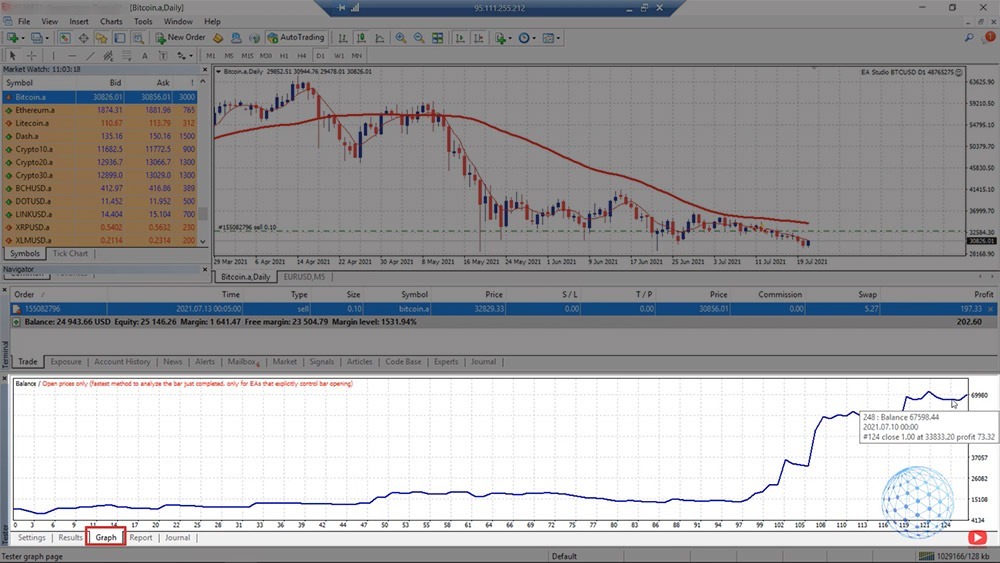
And then in the ‘Results’, we can see that the balance starting from the 10,000, went up until $70,000. Right? If I click on the graph, I will see how the equity line looks like.
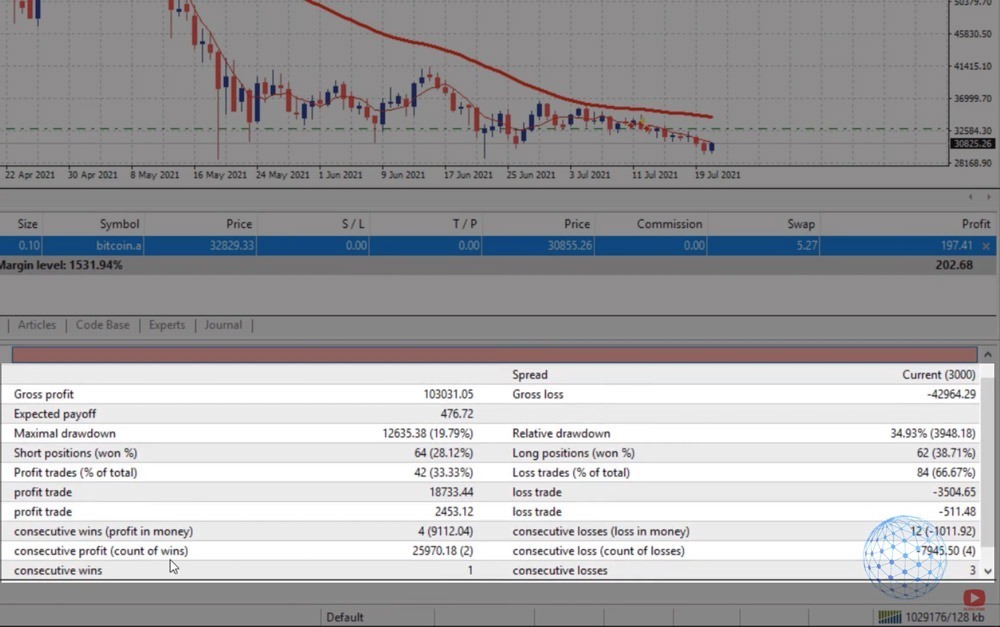
And then on Report, we can see a lot of statistics like consecutive wins, consecutive profits, we can see percentages for long positions, short positions, relative draw-down. It’s a lot of things here that I’m not going into details about.
But the most important is the graph. You want to see a profitable backtest in order to use the Bitcoin trading strategy for real trading. Right?
Or the best thing actually, is backtesting the Bitcoin strategy, see if it’s profitable on your broker or not. If it is profitable, then you test it on a Demo account to ensure yourself that it’s alright to use that Bitcoin trading strategy. After that, when you feel comfortable, you can test it, if you decide, on a live account.
So this is the Bitcoin backtesting on MetaTrader. It works really fast. If I uncheck the starting date, I will perform a backtest for the complete period. In this case, we have Bitcoin backtest data starting since 2014. So let’s see the graph in this case.
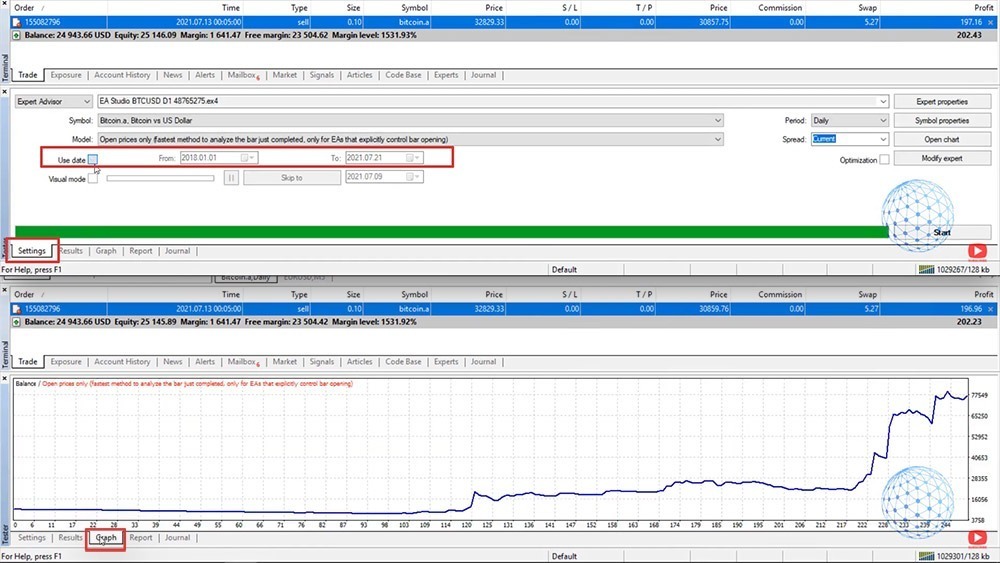
It’s just going near the flat because there was not so much volatility during this time until 2017, 2018. So from Use date, one more time, you can select a starting date and this is useful if you want to backtest the Bitcoin trading strategy to the robot for the last few months, for example.
Using Visual mode in Strategy Tester
Below we have the Visual mode which is quite interesting when you do it for the first or the second time. I usually don’t use it, but I will show it to you. So if I click on Start, a new tab will open, and simply, you will see all the trades opening and closing.
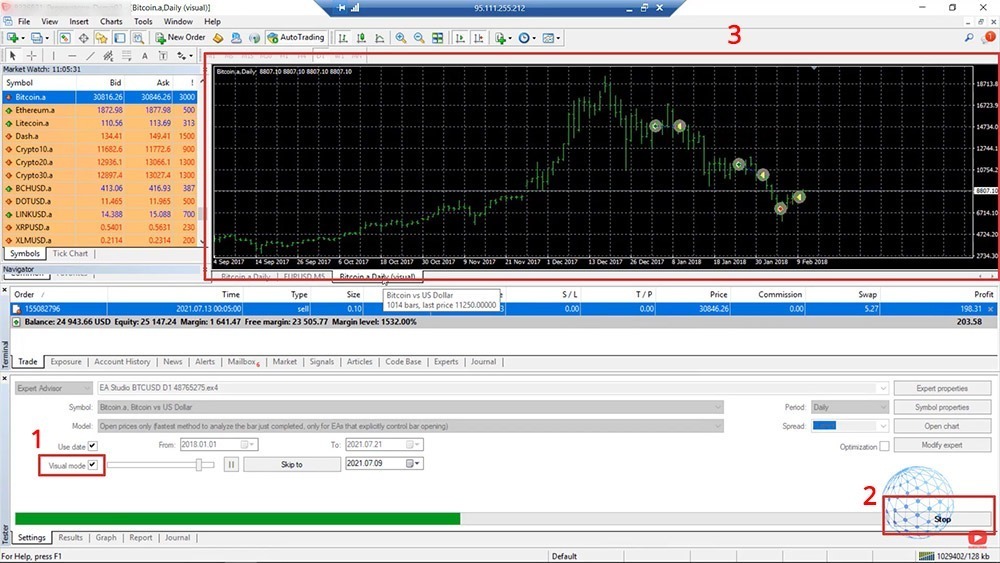
So when we have a red arrow, it is a short trade, when it’s a green one, it’s a long trade. And then it shows where the trade was opened and closed and I can increase the speed a bit, here it is.
So it will visualize the Bitcoin strategy backtest a little bit faster. You can see this is back in 2019 when the price was at about 3,000, 4,000, 5,000, 7,000, 8,000, 9,000. And still, the Bitcoin robot works very nicely. So the Visual mode is just for you to have an idea of how the Bitcoin strategy backtest works or where the trades were opened and closed.
Compare Bitcoin backtesting results in MetaTrader and EA Studio
Now, very interesting here is to compare these results or this Bitcoin backtesting graph that ended at about $70,000, starting from $10,000 with the strategy builder Expert Advisor Studio.
So here is the Bitcoin strategy and you can see that the balance chart is just the same. Here, the window is very small, that’s why it looks a little bit different. But it’s actually the very same thing on MetaTrader. We see it in a huge wide window, that’s why it looks like that. But if I minimize it, you will see that on EA Studio, we have the very same Bitcoin trading strategy backtesting.
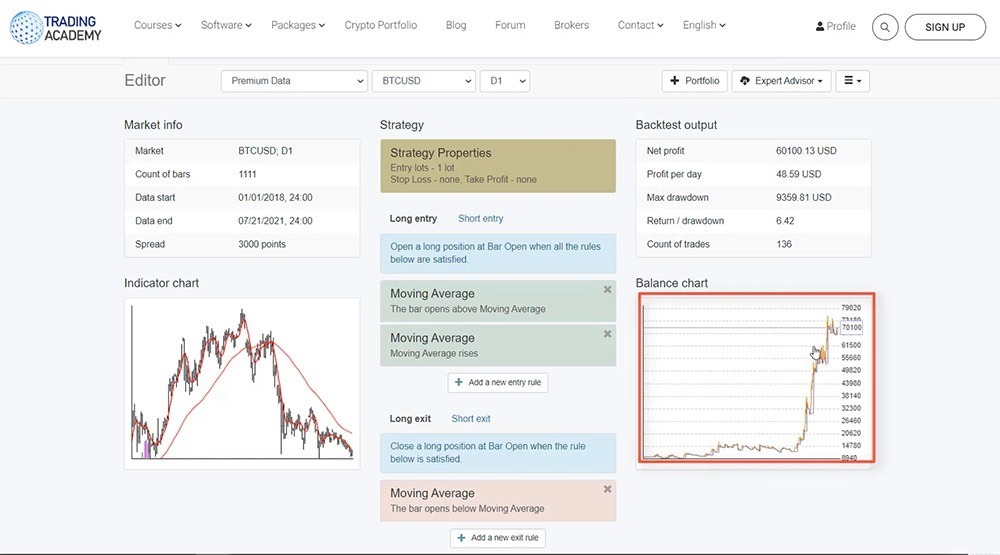
And actually, to make sure that the results are similar, you need to change the Symbol Settings in EA Studio.
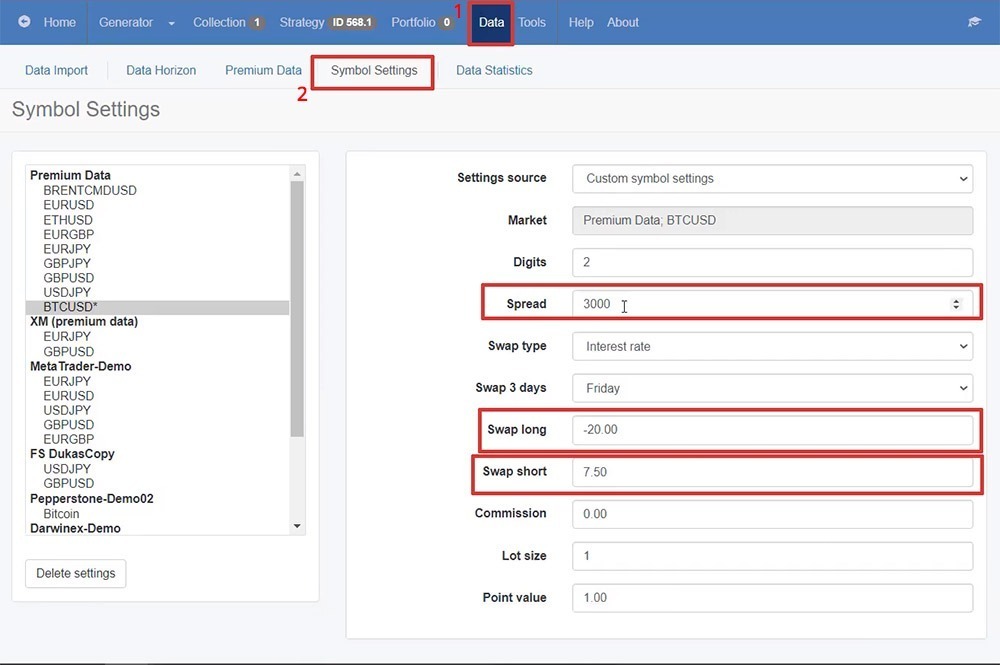
So what you need to do is click on Data, and then you have Symbol Settings. And right here you need to enter the spread, you need to enter the swap long, and the swap short.
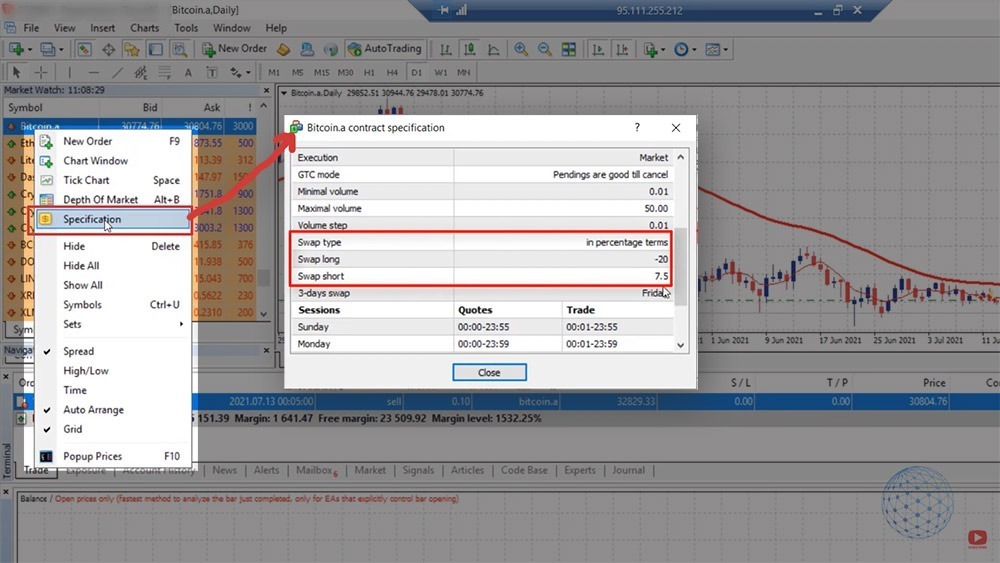
So if I go to the MetaTrader one more time, I will right-click on Bitcoin, and on the ‘Specification’ tab, we can find how much the swap long is and how much the swap short is. It is in percentage, keep that in mind. So -20 for keeping a long position overnight and 7.5 interest rate on a yearly basis to keep a short trade. And this is what I have selected on EA Studio, swap type, interest rate, or percentage. And then we have the swap long, swap short.
So in Symbol Settings you need to set the very same swap long, swap short, spread, how many digits. Basically, all the settings you get for the Symbol from your broker so you will have an identical Bitcoin trading strategy backtest.
Conclusion
EA Studio, one more time, is for more professional analysis where we have Monte Carlo, Multi Market, Out of sample simulation, we have a huge report right here, we have profit and loss in currency by entry hours, by exit hours.
A lot of statistics are useful when creating a trading strategy. As well as the Indicator chart where we clearly see all trades opening and closing, the Balance chart, the Journal, and a lot more.
But if you don’t want to go into details with EA Studio and you just want to backtest the BTC trading strategy on MetaTrader, this is how you can do it. It’s super easy and you will see if this strategy actually brought you profits with your broker or not.
If it brought you losses, then probably choosing a different broker is the better solution. Maybe the spread is bigger with the broker and that’s why the Bitcoin trading strategy might show losses with you. I don’t know. If you have that issue just let me know. I will help you out. But you need to see a profitable backtest with the strategy.
The backtest is very important before you start testing an Expert Advisor. And don’t hesitate to do it. We’ll see you, guys, in the next lecture. Take care.


Comments
No comments yet. Be the first to comment!
Leave a Comment
Your email address will not be published. Required fields are marked with *