
 Petko Aleksandrov
Introduction
As an experienced trader and professional blogger, I’m always on the lookout for new and exciting trading tools. Today, I’ll be sharing my thoughts on the Number 1 ranked free trading Robot on the MQL5 Marketplace – the Universal Breakout MT5 Expert. This EA has caught my attention due to its popularity and the intriguing fact that it’s being offered for free. In this blog post, we’ll dive into its features, understand its strategy, and explore why developers might provide such valuable tools at no cost.
Free Trading Robot for MT5: Unveiling the Universal Breakout MT5 Expert
If you’re exploring the free section of the MQL5 Marketplace, you’ll find the Universal Breakout MT5 Expert sitting at the top. Developed by a reputable creator, it is designed to attract traders and promote the developer’s other products. Offering a free Robot as a marketing strategy is quite common, and in return, they hope to entice users to explore their paid Expert Advisors and Indicator tools.
The Power of Breakout Strategies
Now, let’s delve into the heart of the Universal Breakout MT5 Expert. Its core strategy relies on the classic Price Range Breakout method. For those following my YouTube channel, you’ll know that I favor using breakouts during my FTMO challenges. This strategy takes advantage of the impulsive moves that often occur during the London session, triggered by significant events in the Tokyo Stock Exchange hours.
Free Trading Robot for MT5: Versatility Across Trading Sessions
The Universal Breakout MT5 Expert shines further as it works across various trading sessions, including Asian, European, and American hours. This versatility allows traders from different time zones to benefit from its breakout strategy.
Customizable Settings for Optimal Performance
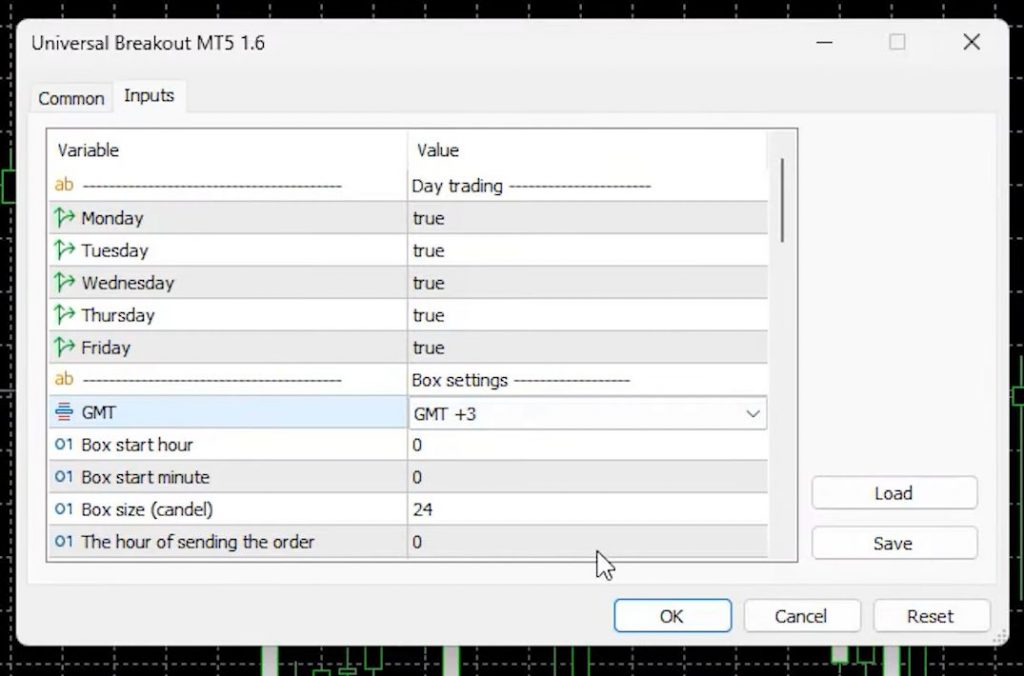
Within the EA settings, traders have the flexibility to adjust the time range during which the EA will search for the maximum and minimum price points. Additionally, it offers the crucial Take Profit and Stop Loss options, which I consider vital for any trading strategy. Proper risk management is the backbone of successful trading, and this EA incorporates it effectively.
Free Trading Robot for MT5: Intuitive Money Management
The Universal Breakout MT5 Expert also comes equipped with money management features. Money management is a crucial aspect of trading, and this EA seems to have incorporated it well to protect users’ capital while maximizing potential profits.
Analyzing the User Interface
Let’s take a closer look at the user interface. The layout is intuitive and user-friendly, making it accessible for traders of all experience levels. There are several inputs available, allowing for a more personalized trading approach.
Free Trading Robot for MT5: A Rare Gem – The Video Component
What sets this EA apart from others on the MQL5 Marketplace is the inclusion of a video. It’s not a common feature for Expert Advisors, but it provides an opportunity for users to better understand the EA’s behavior and performance.
A Wide Range of Successful Trades
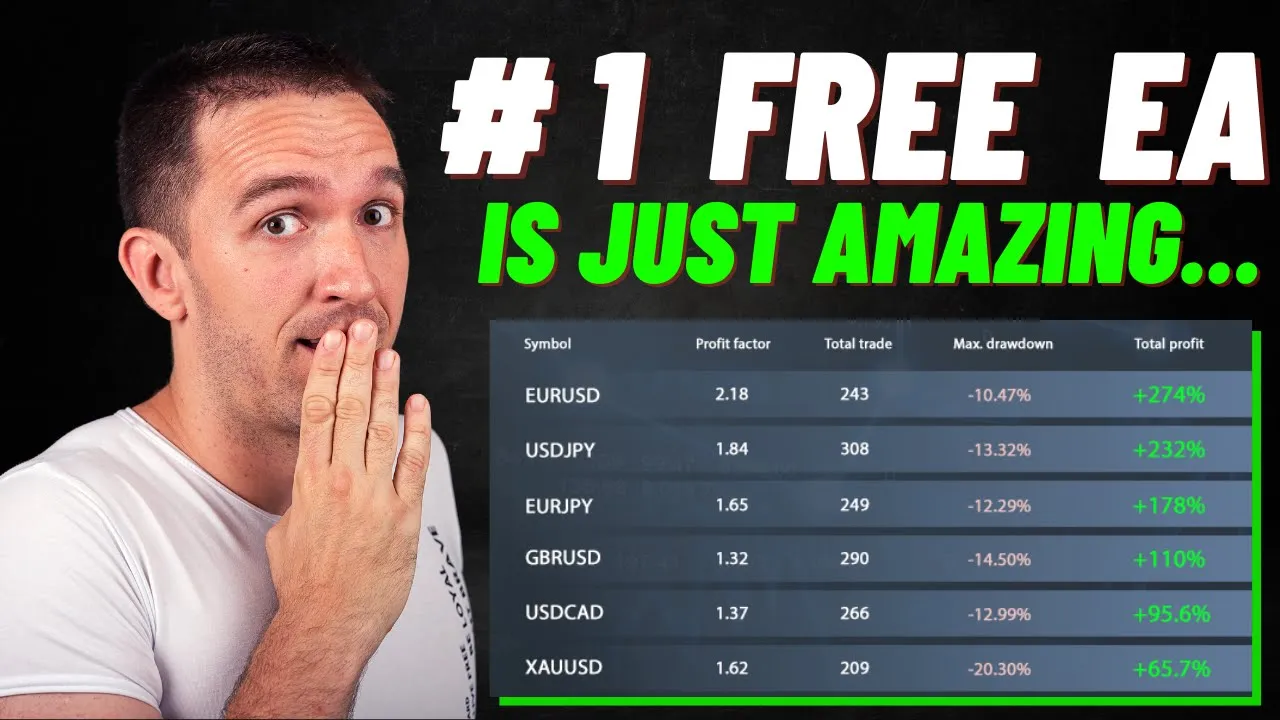
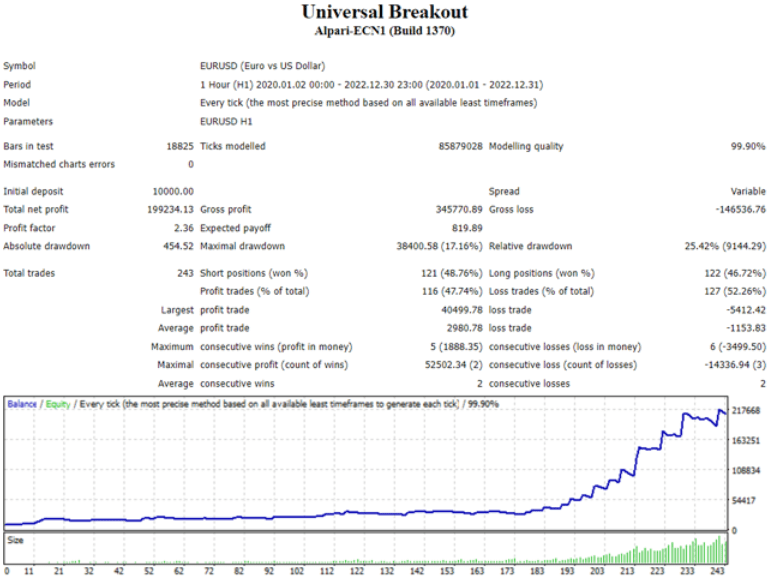
Upon examining the backtest results since 2020, it becomes evident that the Universal Breakout MT5 Expert excels in trading pairs like EURUSD, USDJPY, EURJPY, and GBPUSD. Surprisingly, it also demonstrates successful trading on Gold. Witnessing one Robot perform well across different assets is truly intriguing.
Free Trading Robot for MT5: Let’s Test Together
To explore this EA, I will open a live account with FP Markets. After accessing the market section, I will navigate to the Experts tab and choose the free options. There, I will find the highly ranked Universal Breakout MT5 Expert and download it. Once downloaded, the EA will appear in the Expert Advisors tab.
Setting up the EA
To get started, I will open a new chart window for EURUSD and drag and drop the Universal Breakout MT5 Expert Advisor onto it. Next, I will explore the input settings. The EA allows us to select the desired trading days and adjust the Box Settings based on our time zone. Since my current time zone is GMT+3, I will configure it accordingly.
Free Trading Robot for MT5: Understanding the Input Settings
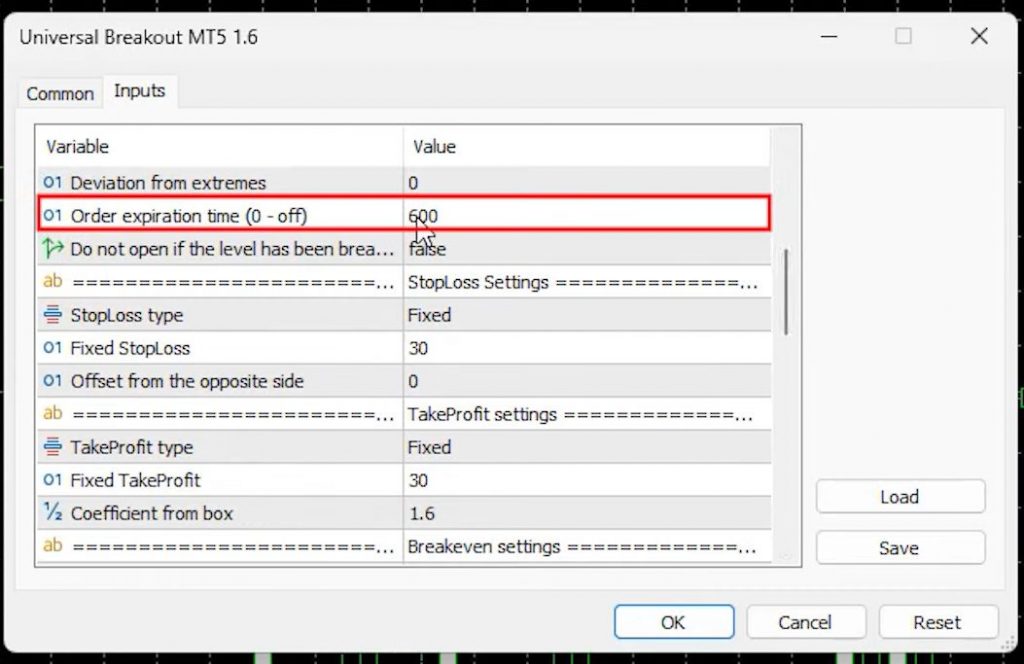
Within the input settings, we find options such as Expert expiration time, Stop Loss, Take Profit, Break Even, Trailing Stop, and more. Notably, the EA seems to employ a scalping strategy, as it offers the ability to close orders after a specific number of minutes from the opening. Money management options are also available, including fixed lot sizes, risk per transaction, and percentage of the account balance.
Insights from Backtesting
To gain a better understanding of the EA’s performance, I will conduct backtesting. Starting with the last month, I will use the default settings and analyze the results. While the backtest provides some profit, the results are not overly impressive for such a short period.
Free Trading Robot for MT5: Extending the Backtest
To obtain more comprehensive insights, I will extend the backtest to cover the past year, focusing on May 2022 onwards. Unfortunately, the default settings do not yield satisfactory results. However, the developer provides set files for different assets, each tailored to suit specific trading instruments. For this demonstration, I will download the set file for EURUSD.
Optimizing with Set Files
By loading the set file, we can observe different input settings that enhance the EA’s risk-reward ratio. Notably, the Stop Loss is reduced to 16 pips, while the Take Profit is increased to 42 pips. Additionally, the Break-even distance and Trailing Step are adjusted to optimize performance.
Free Trading Robot for MT5: Executing the Extended Backtest
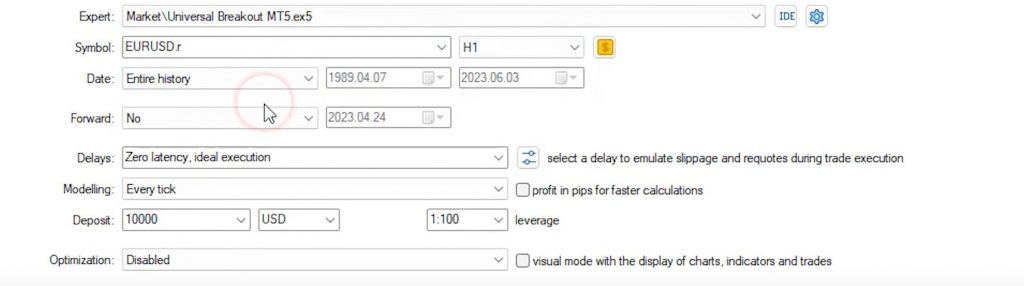
With the optimized set file, I will initiate the backtest for the entire available history. Although this may take some time due to data download, it is crucial to assess the EA’s performance over a more extended period. Backtesting over multiple years allows us to evaluate its reliability in recent times.
Consider the Recent Performance
When testing Expert Advisors, it’s essential to focus on recent performance rather than relying solely on historical data from several years ago. In our case, we prioritize evaluating the EA’s performance in the most recent years, such as 2023 and beyond.
Free Trading Robot for MT5: Analyzing the Backtest Results
After completing the backtest, we observed that the performance of this EA has been consistently positive since 2017. The overall net profit generated during this period amounted to $15,000. Although this may not seem overly impressive for such an extended timeframe, it’s essential to note that many sellers on the MQL5 Marketplace tend to over-optimize their EAs, resulting in unrealistic backtest outcomes that show millions of dollars in profit. In contrast, the free Expert Advisor we’re examining here demonstrates a robust and decent strategy, considering its numerous inputs.
Visualizing the Strategy
To gain a better understanding of this EA’s strategy, let’s explore its visual backtest. By enabling the visual mode and starting the backtest, we can witness the strategy in action. While the backtest progresses, allow me to explain why I only use low cost, regulated brokers for algorithmic trading. These brokers offer competitive spreads starting from 0 pips, along with a wide range of tradable assets such as Forex, shares, metals, bonds, commodities, and indexes. With two types of accounts to choose from, trading becomes convenient and cost-effective.
Free Trading Robot for MT5: The Visual Backtest Analysis
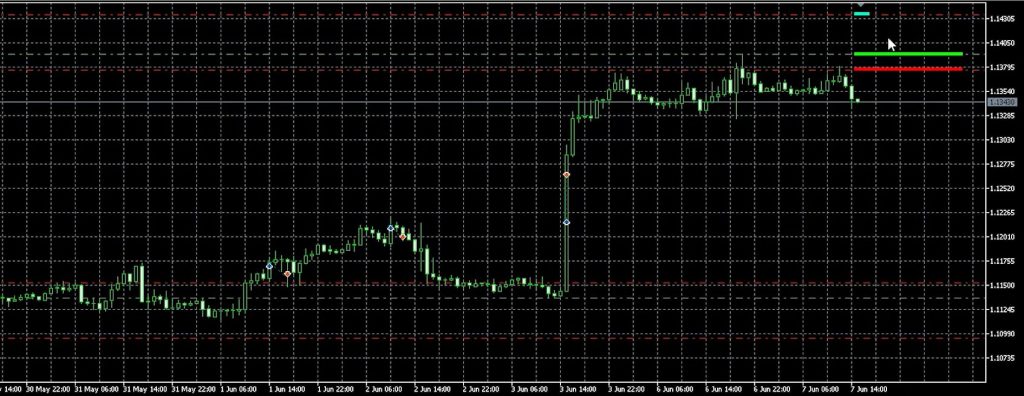
As the visual backtest commences, we can increase the speed until open trades appear. Here, we notice interesting examples of the EA’s functionality, with both buy stop and sell stop orders being placed, accompanied by corresponding stop loss and take profit levels. The trades open and close rapidly, reflecting the EA’s responsive nature. Let’s examine a few examples in detail.

Example 1: Impulsive Move
During an impulsive move, the price range significantly expands. We observe a trade with a buy stop order and corresponding stop loss and take profit levels. However, due to the subsequent sideways movement, the trade is closed at the stop loss.
Example 2: Trade Closure
In this example, we encounter another trade that eventually closes. The EA’s functionality is evident as it follows the specified rules for opening and closing trades.
Example 3: Order Cancellation
The EA also incorporates the option to cancel orders based on specific conditions. Here, we witness a trade being canceled when the price fails to reach the specified level within the given timeframe.
Applying the Strategy
This breakout system, with its various inputs and settings, offers simplicity and flexibility. The ability to use different set files for different assets enhances its adaptability. I encourage you to explore this free Expert Advisor on a demo account, experimenting with stop loss, take profit, and other settings to customize it according to your trading preferences. However, before diving in, I recommend conducting thorough research by reading reviews and comments to ensure it aligns with your trading goals.
Free Trading Robot for MT5: Conclusion
In conclusion, the best free trading robot for MT5, available on the MQL5 Marketplace, exhibits a promising breakout strategy. With its robust performance and extensive input options, it is worth considering for traders seeking an automated trading solution. In my upcoming video, I will provide real-time results from testing this EA on different currency pairs and assets. If you’re interested in witnessing these results, please leave a comment below.
Also, check the FTMO Course where we shared a Free Trading Robot.